
Leitzphone. Time to Sell The Leica Q3?
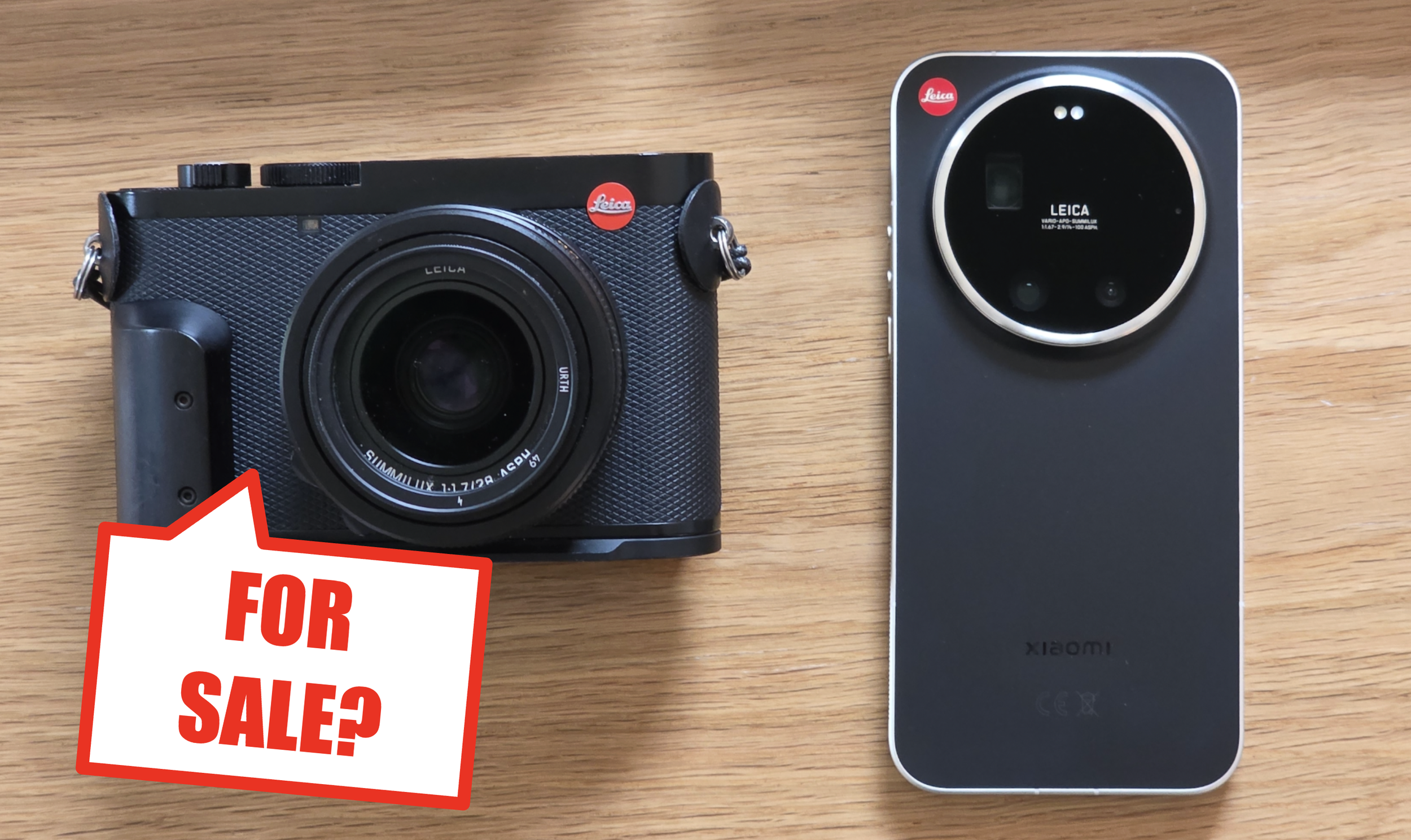
This is the first time Leica have sent me a product to review. It may be the last.
I started out with a simple premise: Has smartphone tech and “computational photography” risen to such a level that it can replace “proper camera” hardware, glass and sensors? Could I ditch my Leica Q3 and just use a phone?
The new Xiaomi 17 Ultra (£1,499 for 1TB) has a Leica-branded version called the “Leitzphone” (£1,699 comes with 1TB). Both have the about the same hardware and cameras, but the Leitzphone has some additional bits for the £200 premium such as:
Leica branding & red dot.
Ridged metal frame.
Turnable “Control Ring” around the lens.
Some nice accessories (case, lens cap, wrist strap).
Leica-specific software for lens selection, camera selection etc. which I’ll look at closely in this review.
Image gallery below, click for larger images in a slideshow.
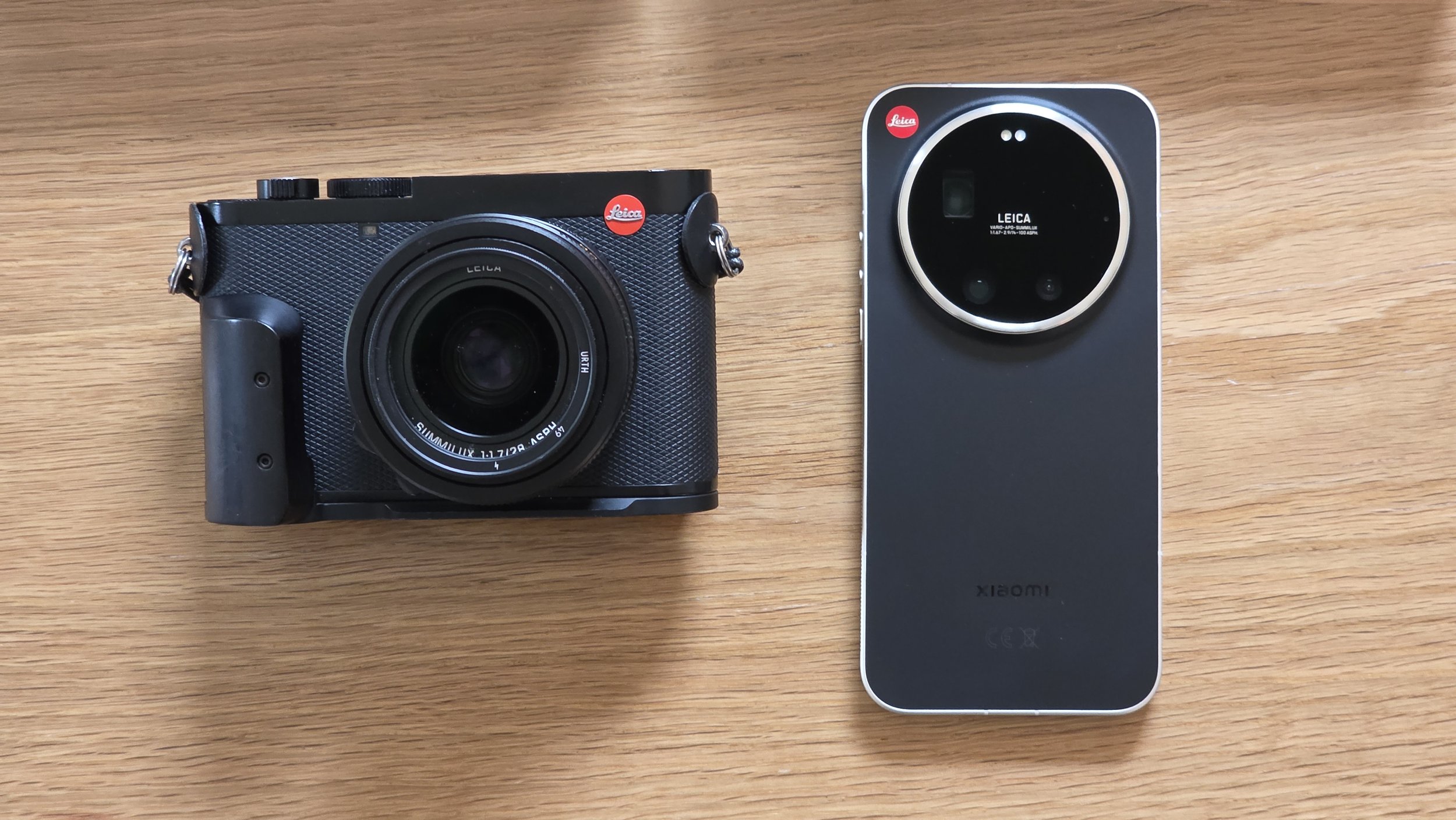
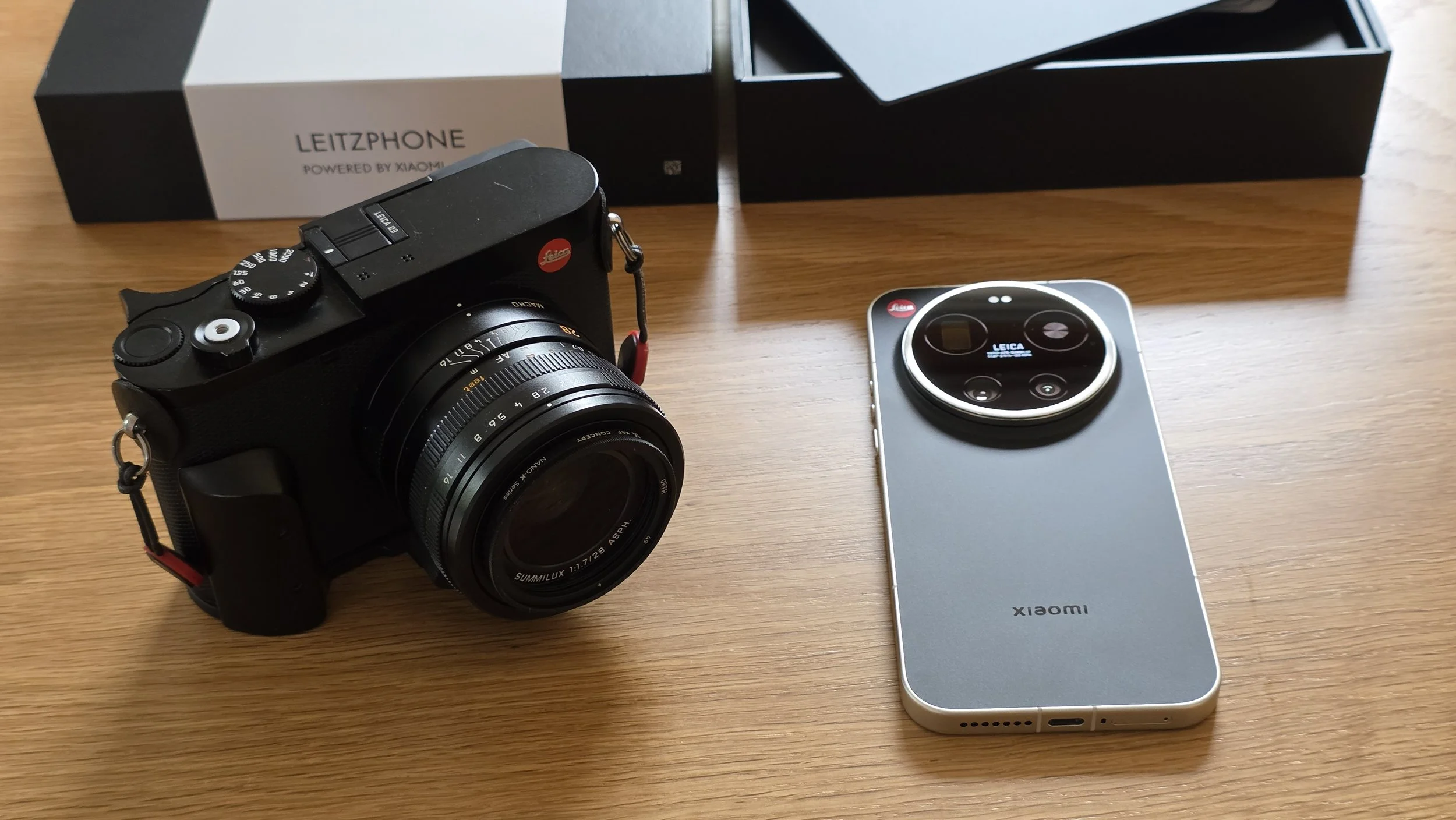
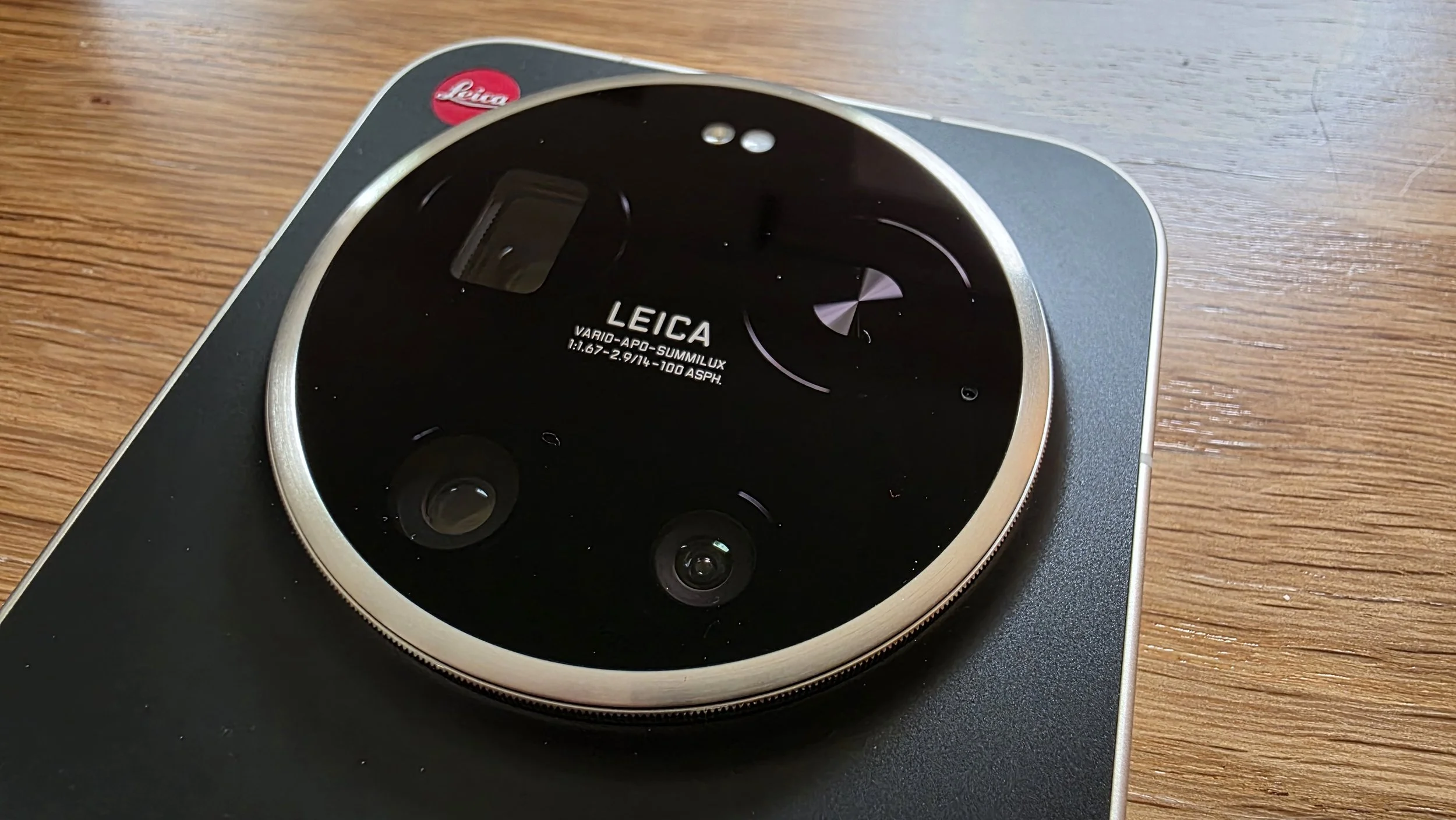
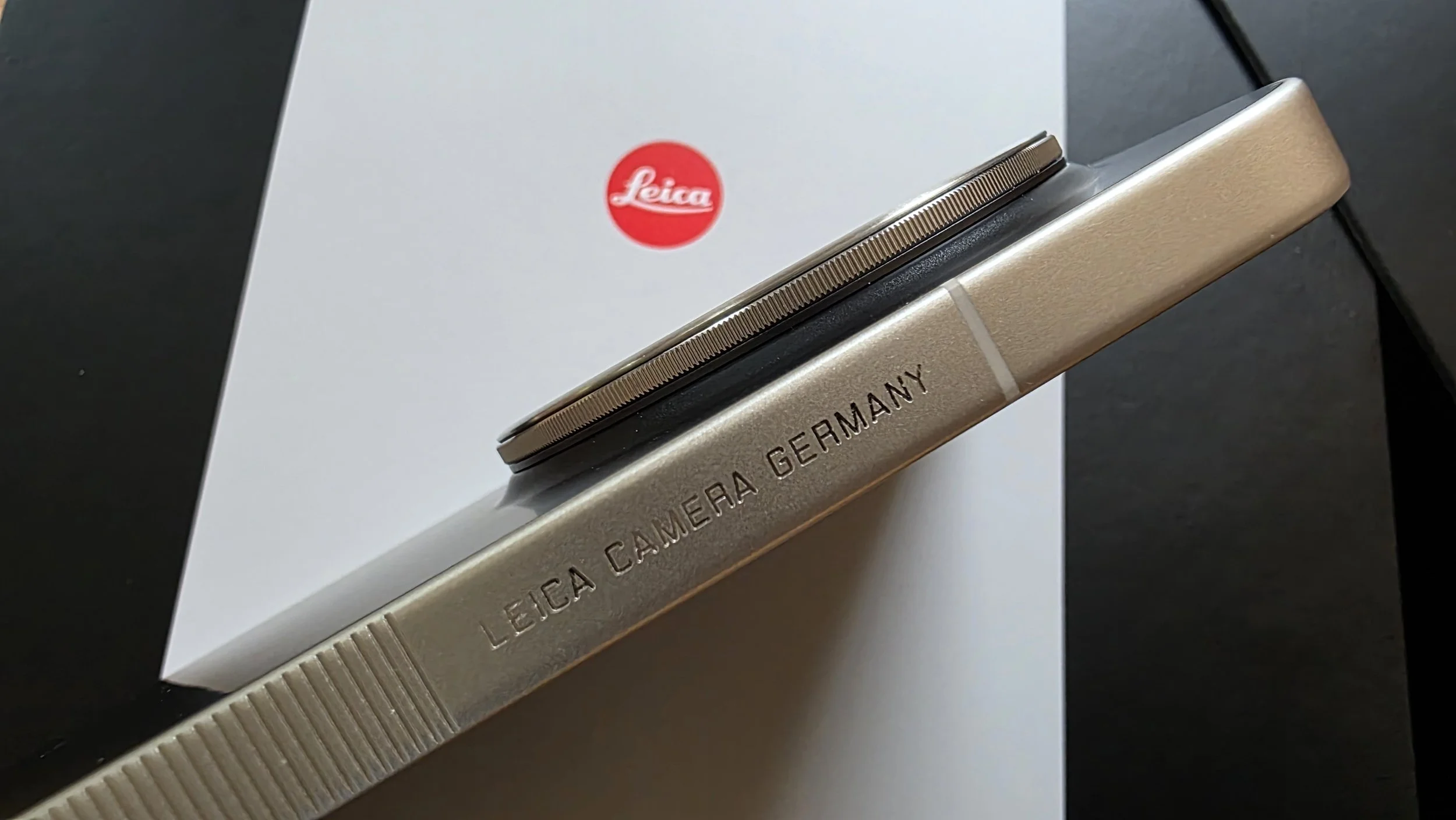
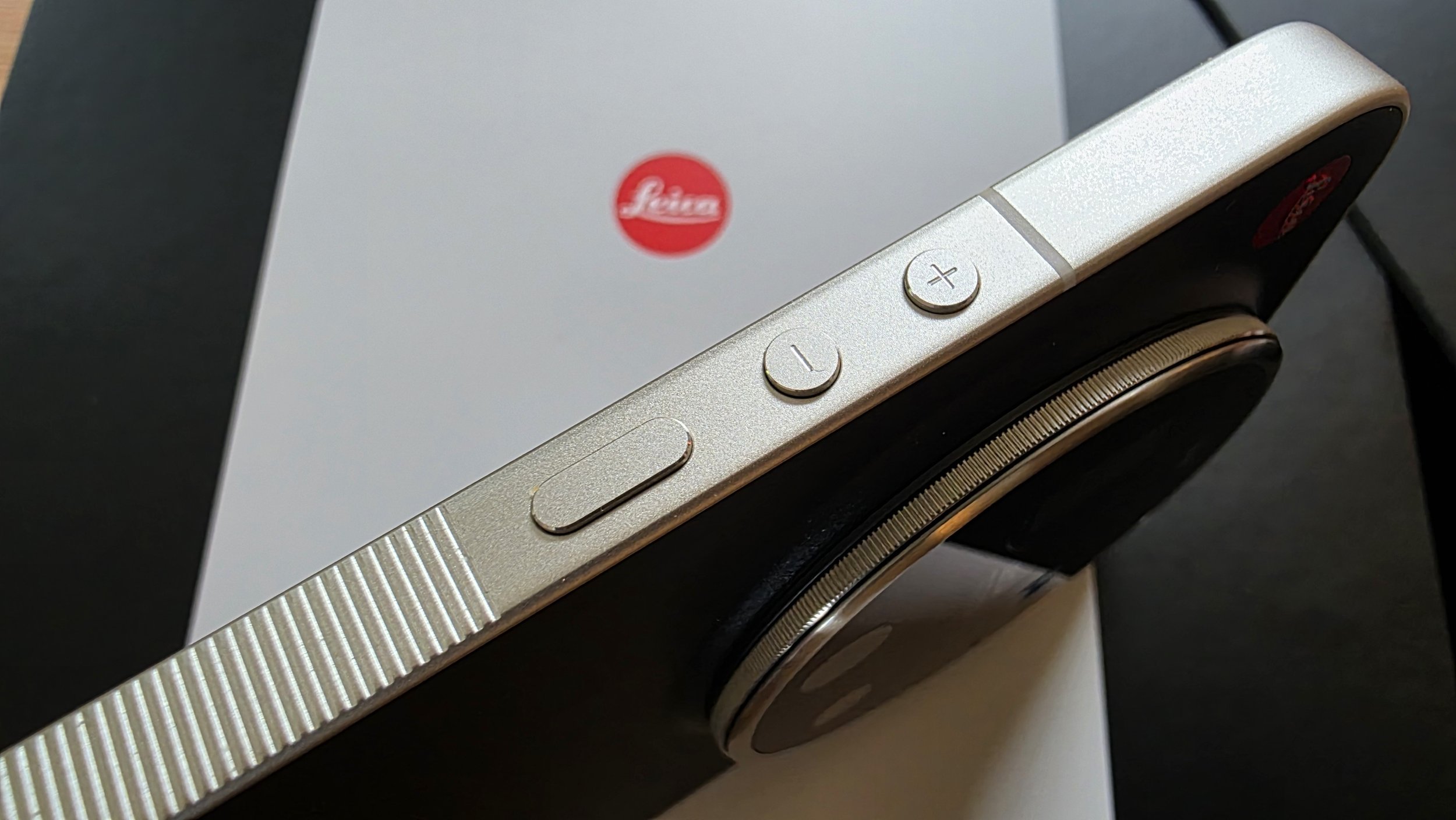
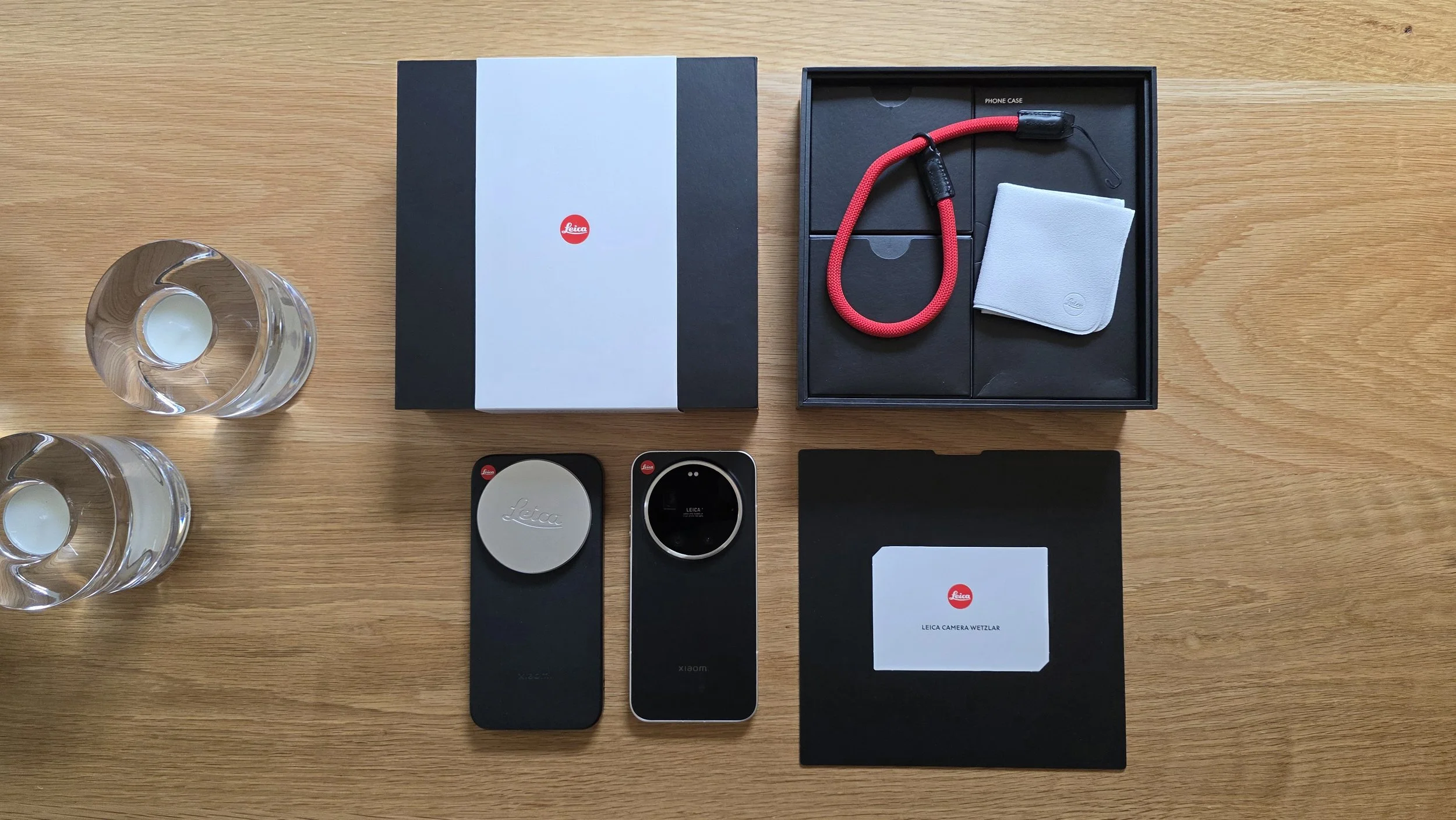
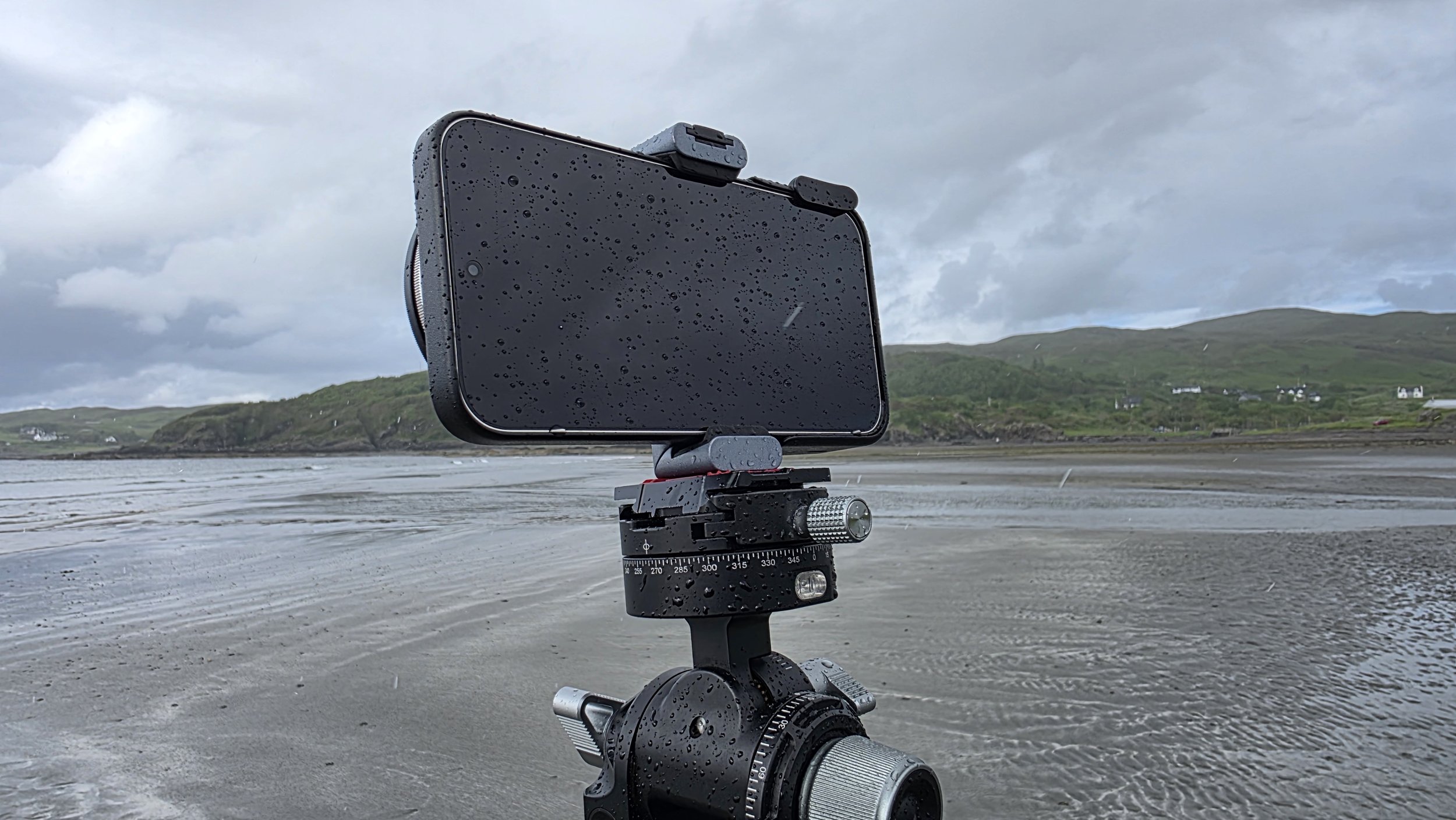
The Leica-specific image processing sounded really interesting to me, as did the high spec triple camera setup. I asked Leica and they were kind enough to send me a rather lovely Leitzphone to test up here in the Isle of Skye. I have spent days delving into it with this comparison with the Q3 in mind.
I’m not going to do a deep technical review of all the specs as you can find plenty of those online. Instead I am going to do a “real world review” from the perspective of an experienced Leica-loving photographer, with a focus on whether the Leitzphone could replace a “real” Leica camera, in my case the Q3.
I have split the review into two main sections: Usability and User Interface, and Image Comparison/Quality, with Conclusions to follow.
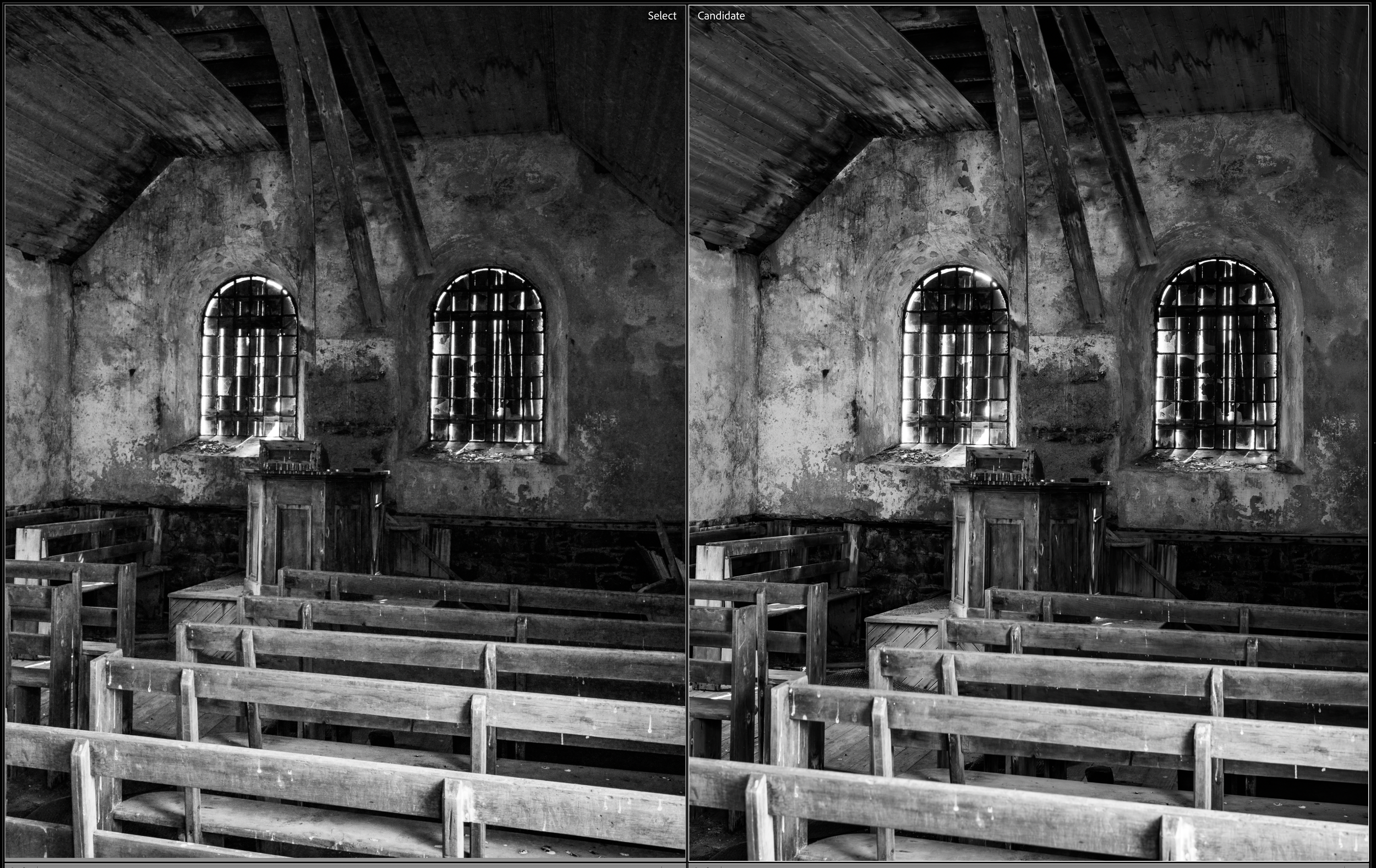
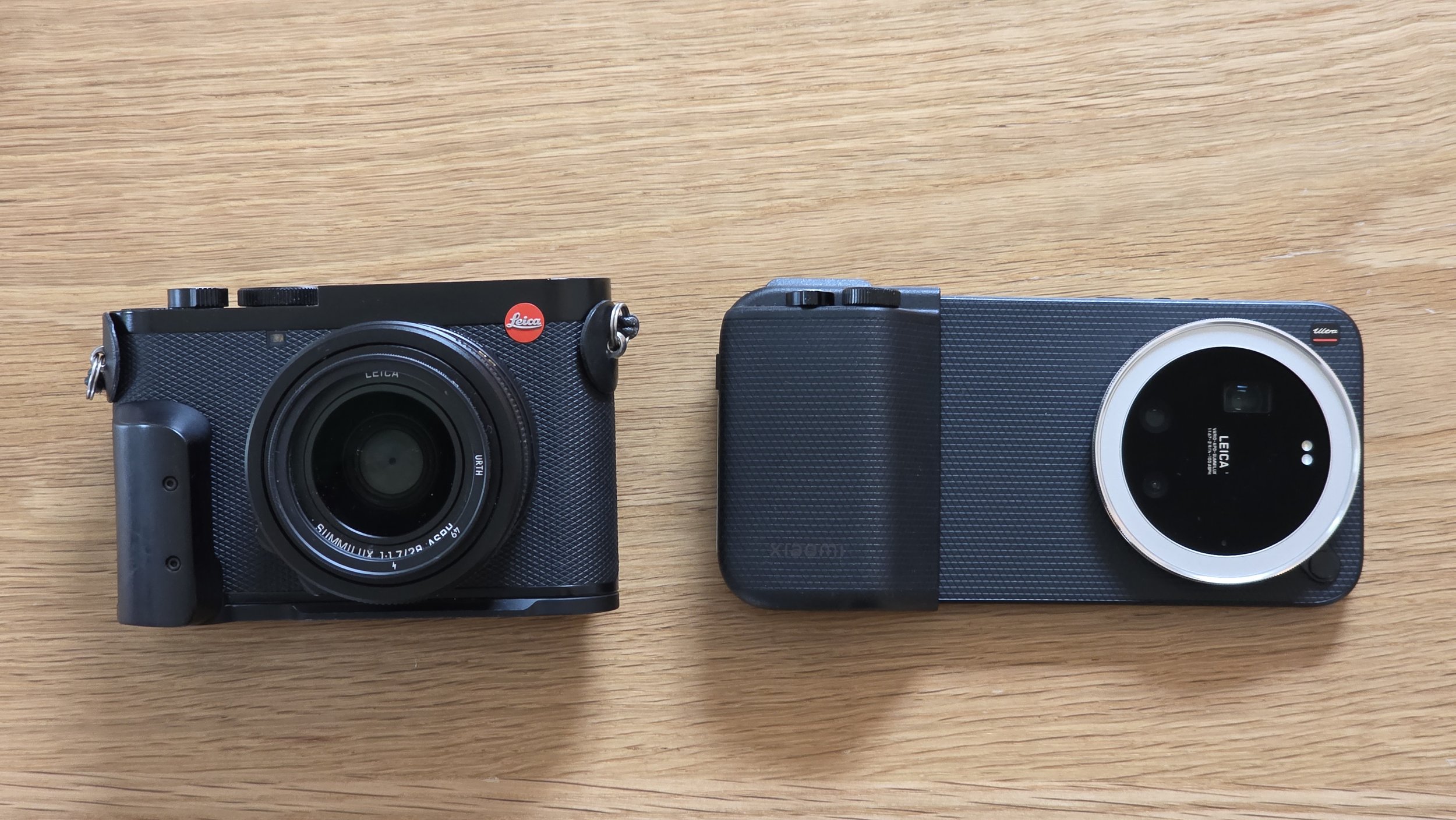
Which is the Q3, which is the Leitzphone. Read on for more…
User Interface and Usability
For anyone who has spent years enjoying the mechanical perfection of a Leica M or the elegance of the Q series, picking up a smartphone built in partnership with Wetzlar and wearing the sacred red dot brings high expectations. Leica spends a lot of time on solidity, density, feel and usability of their products which makes them such a pleasure to use.
On paper, the Xiaomi 17 Ultra "Leitzphone" promises the world. In the hand, the initial impressions are actually quite positive. The ridged metal frame feels premium, substantial, and very Leica. The whole thing looks and feels gorgeous. The complex camera module on the back looks very premium. It is very fast in operation and incredibly snappy. More so than my flagship Samsung S25 Ultra. The under-screen fingerprint reader is so fast it seems to grab your fingerprint before you’ve even laid it on the screen. It is Android so it can be tuned and tweaked as much as you like. The Google suite of apps means it is easy to switch to this phone if you’ve been using another Googly phone. Overall, it is an impressive piece of kit.
However, once you start trying to use it as a serious photographic tool, the cracks in the experience show up pretty quickly.
The Handset Hardware: Form Over Tactile Function
A "proper" Leica is a masterclass in tactile feedback; every click of an aperture ring or shutter dial is definitive and firm. Unfortunately, the Leitzphone’s built-in camera lens ring misses the mark completely. It is loose. It rattles. Haptic feedback “clicks” are no substitute for proper ball-bearing-and-spring physical clicks. It is incredibly easy to rotate inadvertently. It's so imprecise that I eventually turned it off completely in the menus just to avoid accidentally changing settings or triggering the camera. Very disappointing as this is a special feature of the Leica version and it could have been so good.
Sadly this is the same on the Photography Kit Pro grip/case, more of which later.
Compounding this is the lack of a dedicated physical shutter button on the handset itself. To get around this out of the box, I had to map the volume-down button to a double-click just to launch the camera from sleep. But even that workaround is flawed: if the screen is already turned on, double-clicking volume-down simply lowers the audio volume rather than triggering the camera. It’s an annoying inconsistency when you're trying to catch a fleeting moment.
A Mish-Mash of Software
The camera user interface is so far below par for Leica I am surprised it was released to the general public. It is a shocker.
The phone has Xiaomi’s standard Andriod variant operating system so I won’t spend much time on that. Instead I’ll focus specifically on the camera experience.
Where the Leica Q3, as other Leicas, sets the standard for a minimalist, photography-first menu system, the Leitzphone's software feels rushed, overly complicated, and frustratingly unoptimised.
The biggest offence is the lack of consistency. For instance, the screen text doesn’t fully rotate when you switch the phone into landscape orientation. Some does rotate, other text doesn’t. It is as though the product manager couldn’t be bothered. As an example, if you tap on the shutter speed slider in Pro mode while holding the phone horizontally, you are greeted with a vertical slider where all the text remains stubbornly un-rotated.
Click any of the screenshots below for larger.
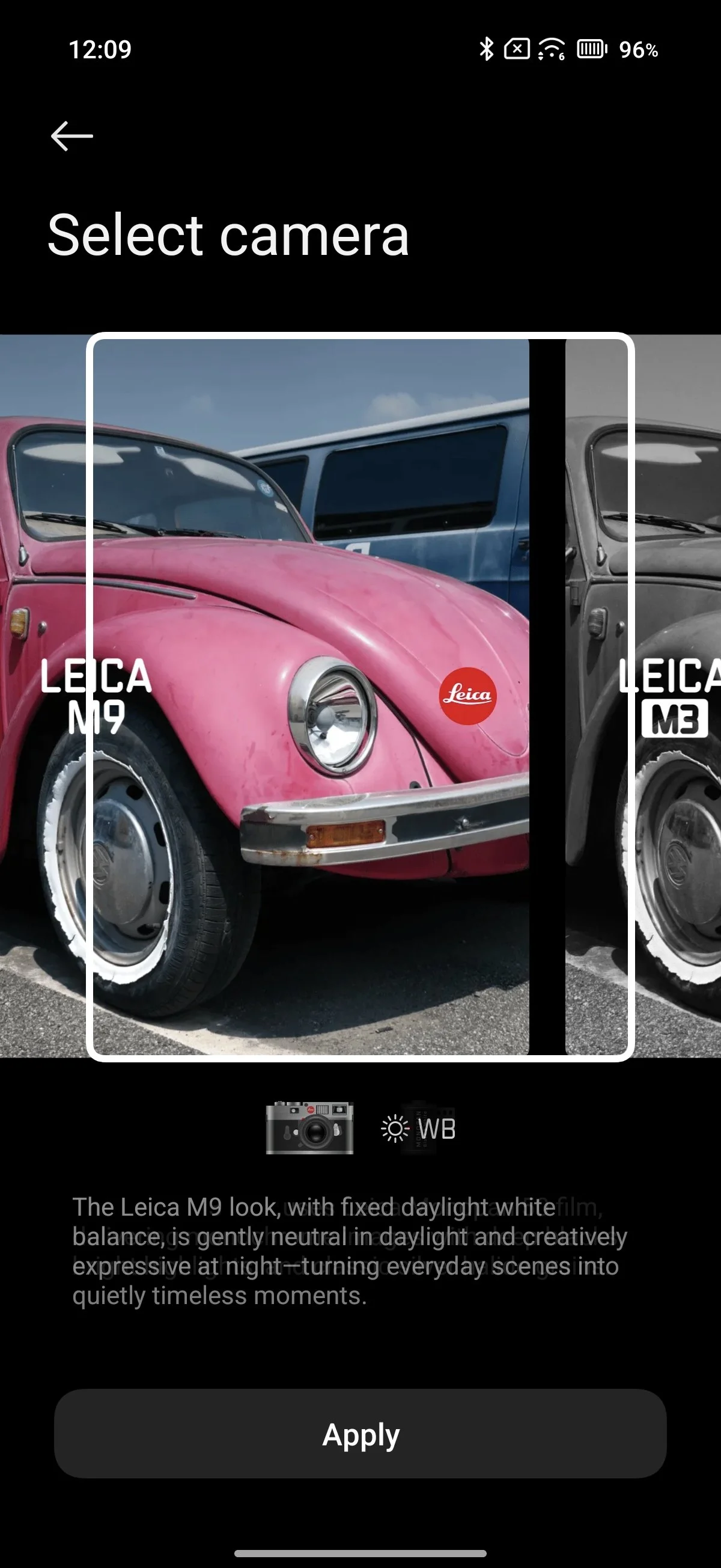
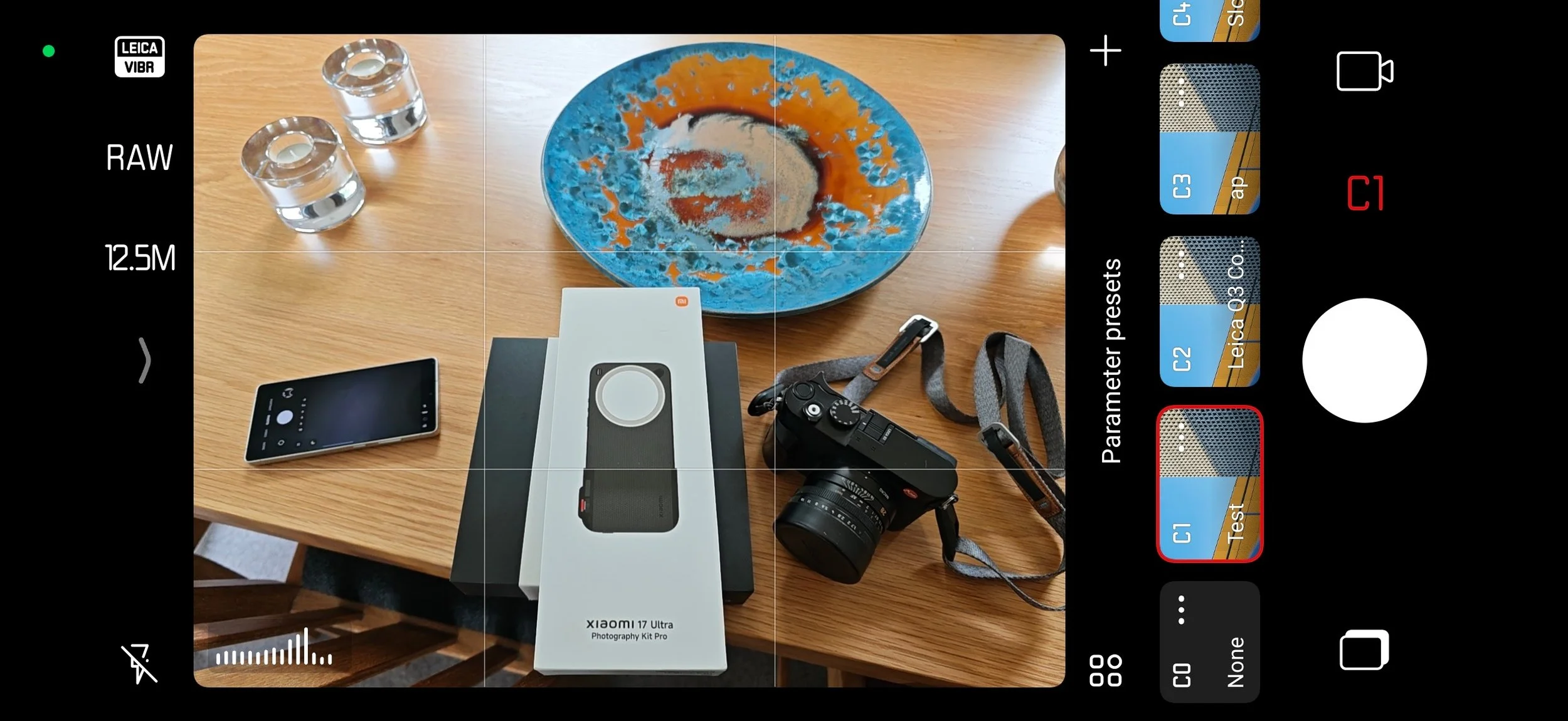
Furthermore, the interface feels like a chaotic puzzle of split identities across "Camera," "Pro," “Portrait,” “Fastshot” and "Leica Essentials" modes:
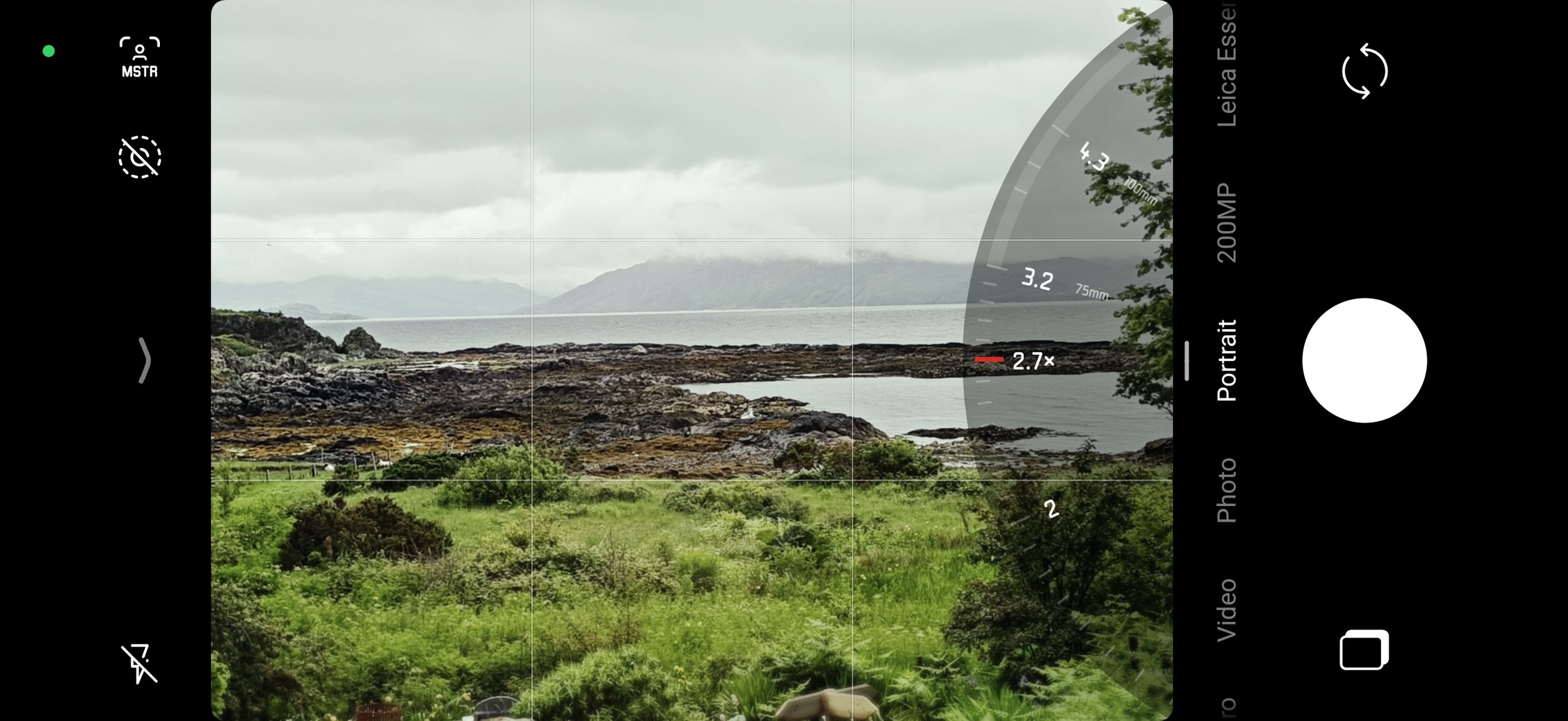
Inconsistency: The sloppy camera ring can be set to do different things in different camera modes (“photo”, “Portrait”, “Pro” etc) , which is confusing. It can be set to be zoom, focal length (same as zoom?), exposure compensation, or filters. But in Portrait mode you cant set it to exposure compensation. Personally, I would want it to be consistent across all modes and I’d set it to exposure compensation. I hate it when a single control does different things depending on other settings.
The Scale Confusion: When using the zoom, rather than putting the zoom dial on screen there is a selector for 0.6x, 1x, 2x etc, and when you hit that it then turns into a zoom dial, and some settings have focal length in mm shown only when selected on the dial and not before. Why not have it jump from one focal length to another and show the focal lengths in mm? As a Leica user I just want to see the focal length in 35mm equivalent.
If you are at 1x is shows 23mm. If you go to 1.1x, the focal length in mm disappears. Common Leica focal lengths like 28mm, 35mm and 50mm are not even listed. There is another set of selectors (why??) to jump from 0.6-1.2-2-3.2-4.3-8.6 but between 3.2x and 4.3x it shows 75mm and 90mm.
Why show magnification at one point on the dial, and focal length in mm at another point? Very odd and annoying. Instead, allow the user to select one or the other and stay consistent. Pick a scale and stick to it!
Leica Essentials Mode: This should theoretically be the Leicaphile’s heaven—a clean, manual interface mimicking a selection of Leica cameras and lenses. Instead, it’s remarkably poor. It essentially just lets you toggle between two simulated camera types, an M3 (black and white) or M9 (colour). Why these aren't just presets or "looks" within a unified menu is baffling. A true "Leica Mode" should seamlessly unite camera type, lens selection, aperture, ISO, shutter speed, and colour profiles into one comprehensive interface.
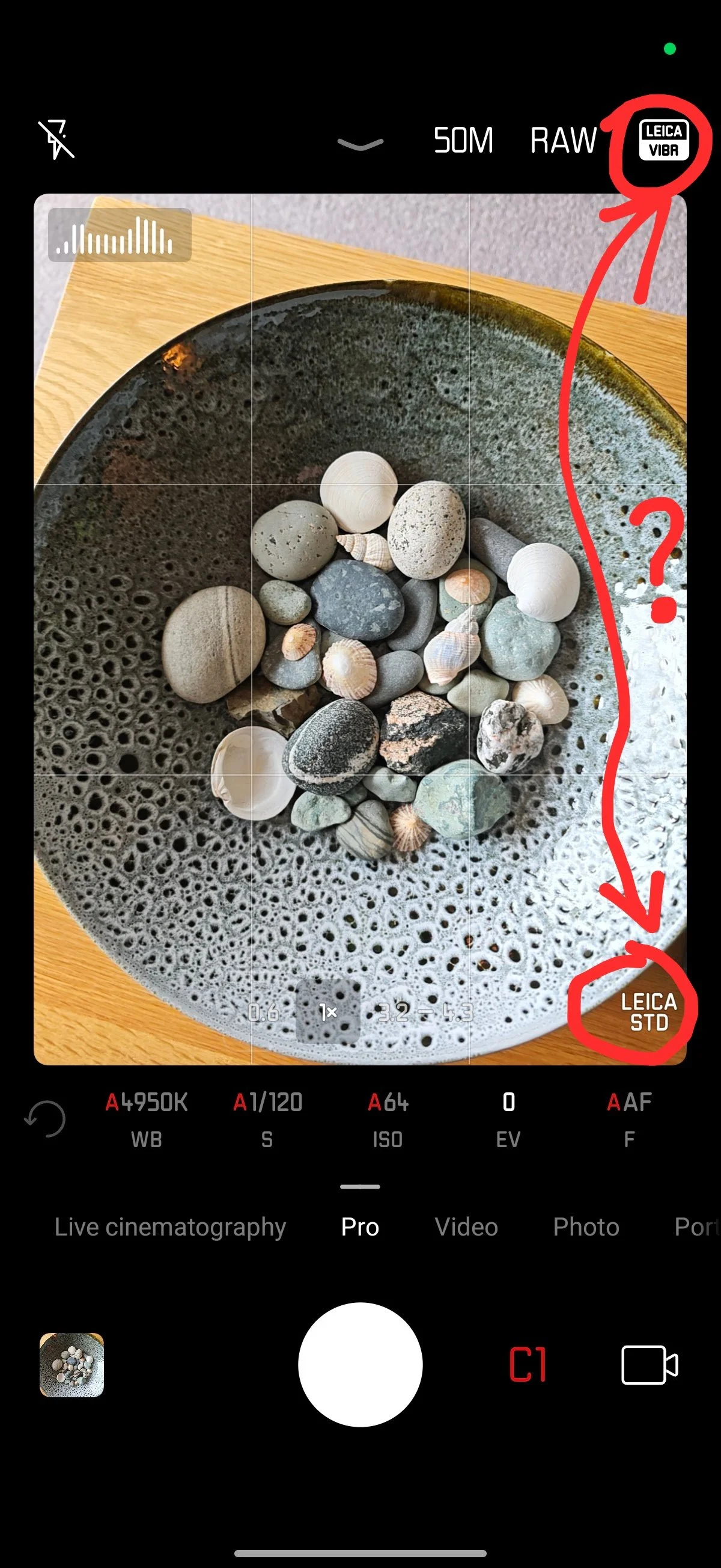
The Filter Overload: This really confused me. When not using Leica Essentials mode, the top right of the screen (depending on orientation) lets you cycle between "Leica Vibrant" and "Leica Authentic" inbuilt styles. At the bottom right there is a completely separate selector to cycle through various Leica filters and looks.
The functional differences between these competing layers are never clearly explained, resulting in an interface that feels built for marketing to smartphone users rather than catering to Leicaphiles.
While I understand that the “Leica Authentic” stops the camera from boosting dark areas too much while “Leica Vibrant” is more smartphone-familiar HDR-ish style, the user interface is confusing. Just put Leica Authentic in a single Leica mode with the other good Leica stuff.
The filter/look name (Natural, Vivid, Chrome etc) doesn’t rotate with the screen. Doh!
For some reason “Ultra HD only works with Leica Vibrant” pops up as an error message. This which is the photography style, not the Leica filter/look. I’m guessing this is because the Leica Authentic is non-HDR, but this error message could be avoided if the style confusion was dealt with.
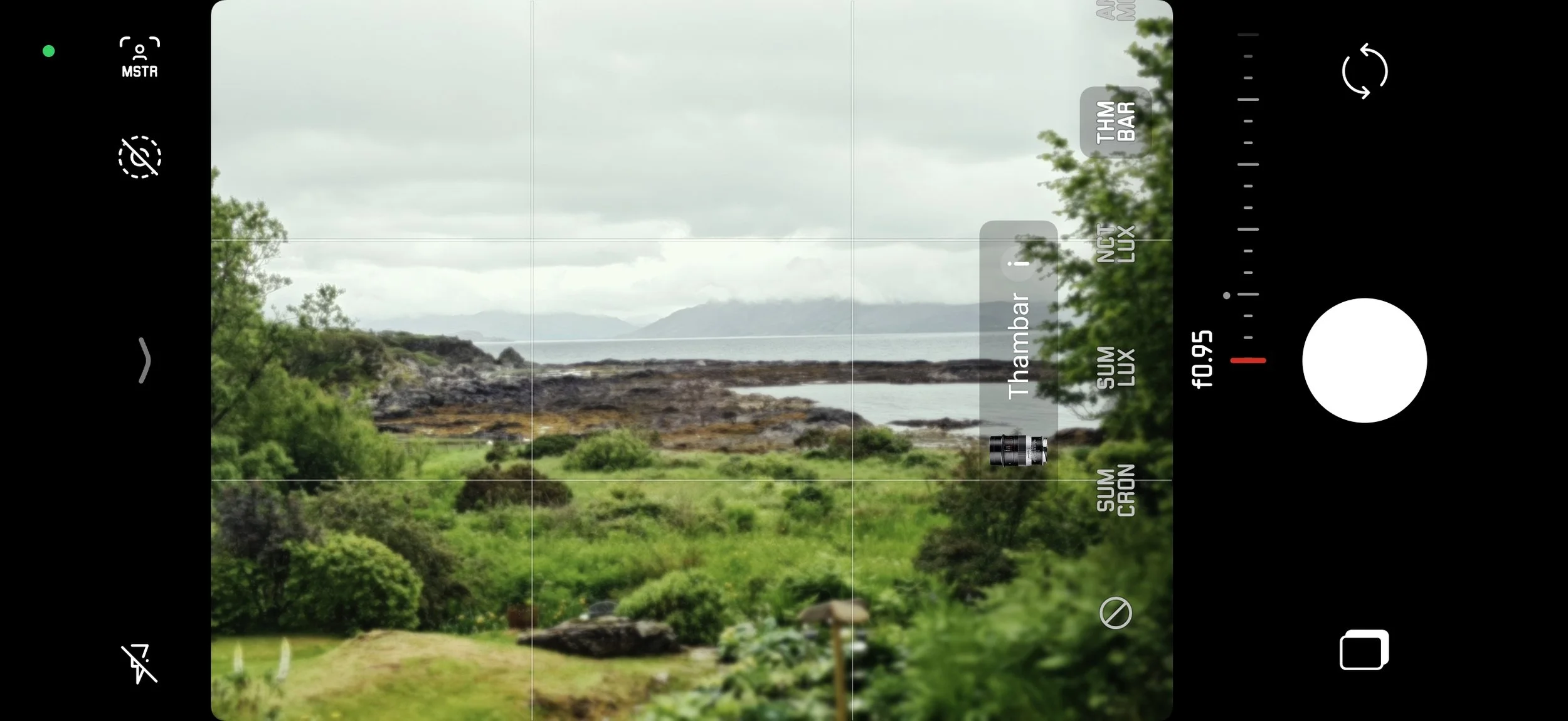
Portrait Mode Hidden Delights: Portrait mode is where the good stuff lurks. I spent a long time trying to work out where the much vaunted Leica lens profiles were. Of course, there is no user manual in the box. Having tapped around for a while, I found an innocuous little red f/2.8 icon at the bottom of the screen. I had thought this was just telling me what aperture was set. But if you tap it you enter into a world of magical Leica lens configuration. But why isn’t this in the “Leica Essentials” or “Fastshot” mode and a lot more obvious?
Here are some other features, with more detail in the Images section.
You can choose from a Summicron, Summilux, Noctilux, Thambar or “Anamorphic” lens.
Computed bokeh (out of focus blur) is tuned to replicate these lenses.
The aperture adjustment changes the degree of focus blur. You can change this after the shot has been taken in the phone’s gallery, like with a Samsung or Apple phone.
Every lens goes to f/0.95! Incredible. You can now have a 100mm Thambar Noctilux!
Sadly, you don’t get any RAWs, just 12mp JPEGs. More on this in the Images section.
Why not allow me to select the actual Leica lens I want to emulate (eg a 35mm Summicron M) and automatically apply the correct bokeh and zoom setting?
Why Five When One Will Do? There are four different places to set the “filter” or “look” that is applied to an image. If you add lens selection into the mix, there are five. This is usability madness. The user interface should be completely redesigned. My recommendation is to create a single mode for Leica that combines filter/look, camera selection, lens selection, aperture, ISO and shutter speed. In fact, let me create a virtual “camera bag” of simulated lenses and bodies that I can use. Put it into “Fastshot” mode that already has nice Leica framelines applied. Let me select my body and lens like a normal person, and go from there with aperture simulation.
The Pro Mode and Preset Pitfalls
For those planning to shoot RAW/DNG, the software introduces several headaches.
Pro mode gives direct control over AF, EV, ISO, Shutter Speed and White Balance, but not physical lens aperture, which is fixed. All very good and as expected.
If you are shooting in Pro Mode at 1x using the main 23mm equivalent 50MP sensor in RAW, and you zoom out to use the ultrawide lens, the camera silently drops you down to a 12.5MP JPEG without any prominent warning. Even worse, if you zoom back in to the 1x main camera, the software doesn't automatically switch back to RAW—it stays in JPEG until you manually hunt down the setting again so it is so easy to miss it and shoot JPEGs accidentally, which I did a lot. Similarly, if you are at 1x and go to 3.2x, it stays at 50mp but changes to JPEG and doesn’t change back to RAW when you go back to 1x. Ugh.
In Pro mode, you can’t granularly zoom through the zoom range. You are restricted to 0.6x, 1x, 3.2x, 85mm, 90mm and 4.3x. Honestly, who came up with this mixture of magnification and focal length. I zoom smoothly throughout the range with on my Samsung S25 Ultra, in RAW and JPEG or both combined.
To top it off, the Parameter Presets feature that allows you to store custom parameters (shown as C0, C1, C2 on the screen) has a fatal flaw: it doesn’t save the RAW setting. If you save your settings as a preset and you have RAW set up, then switch to a JPEG mode, and then switch back to your preset, the format reverts entirely to JPEG as the preset doesn’t remember your image format setting. Doh!
So it is a real mess. If there was a single Leica camera mode that combined filter, camera, lens, aperture, ISO and shutter speed, the presets would make a lot more sense and could also save image format and other settings, just like on a “real” Leica camera.
The Saving Grace? The Photography Kit Pro
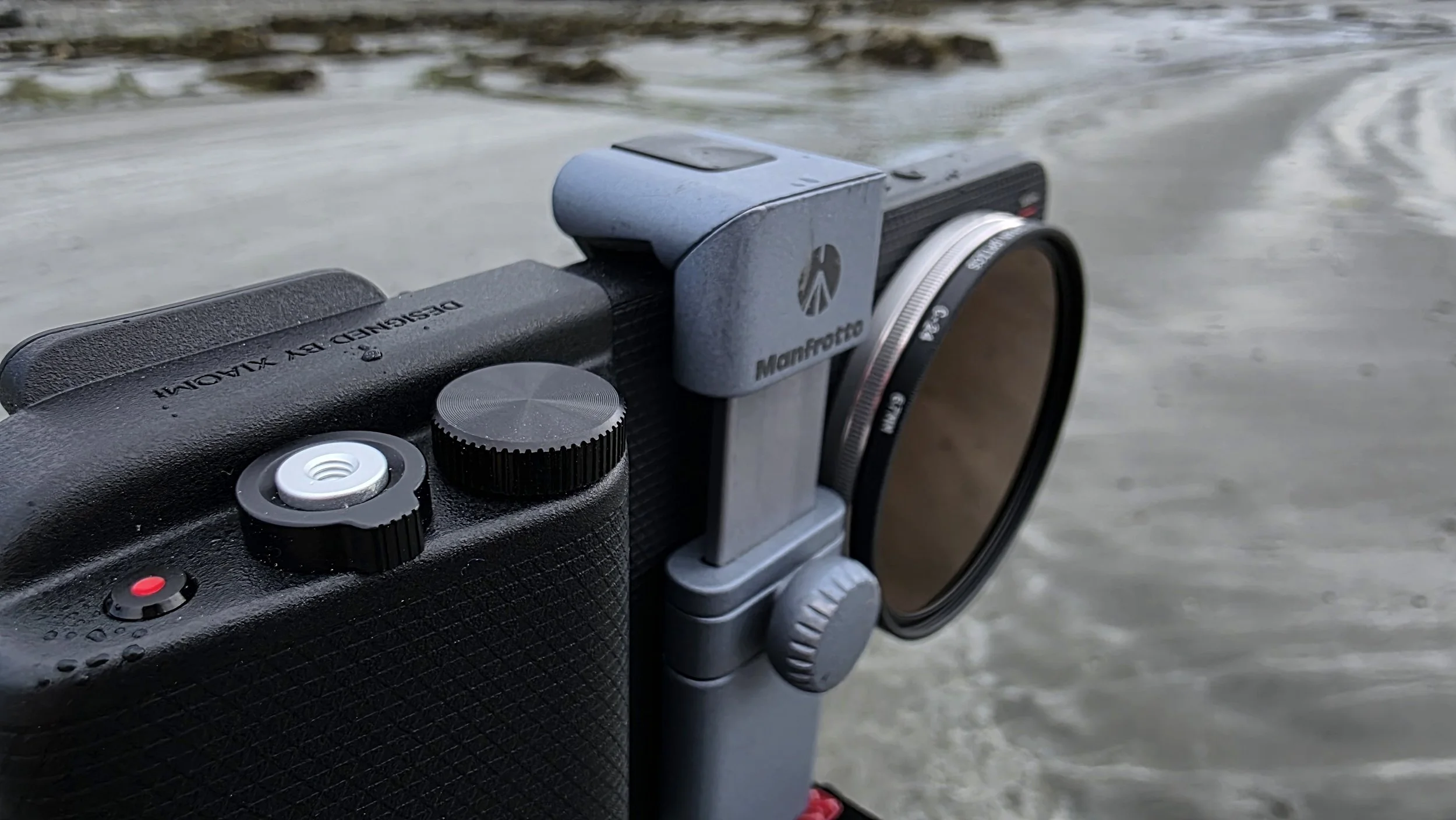
If there is one thing that saves the Leitzphone from usability disaster, it is the £179 Photography Kit Pro accessory case/grip. I personally bought this from Xiaomi with my own money as the Leica kit doesn’t come with it. I wanted to include it as I think the provision of dedicated physical controls and a filter ring for the lens would make a big difference to usability. And it does. Click pics for larger.
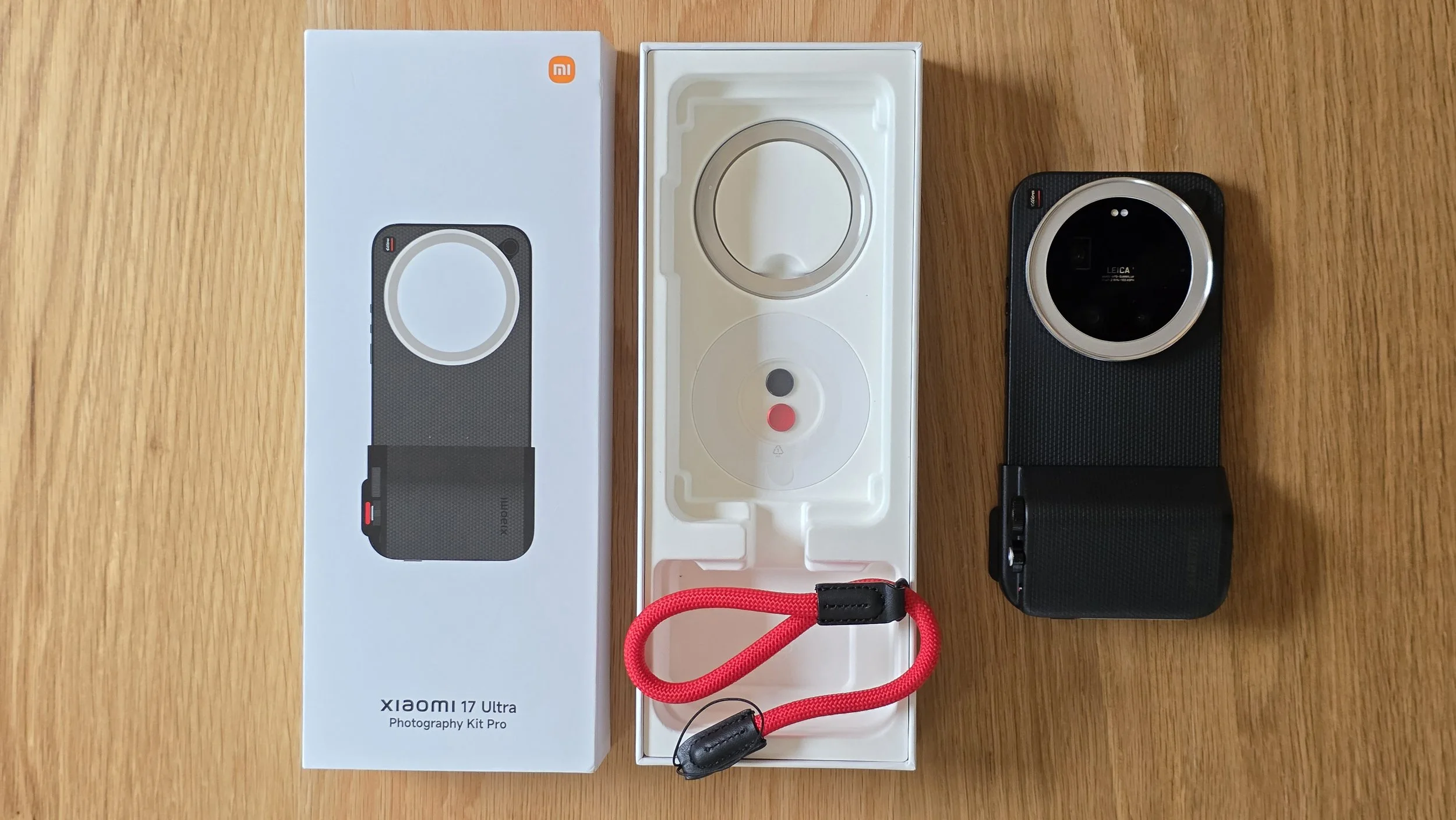
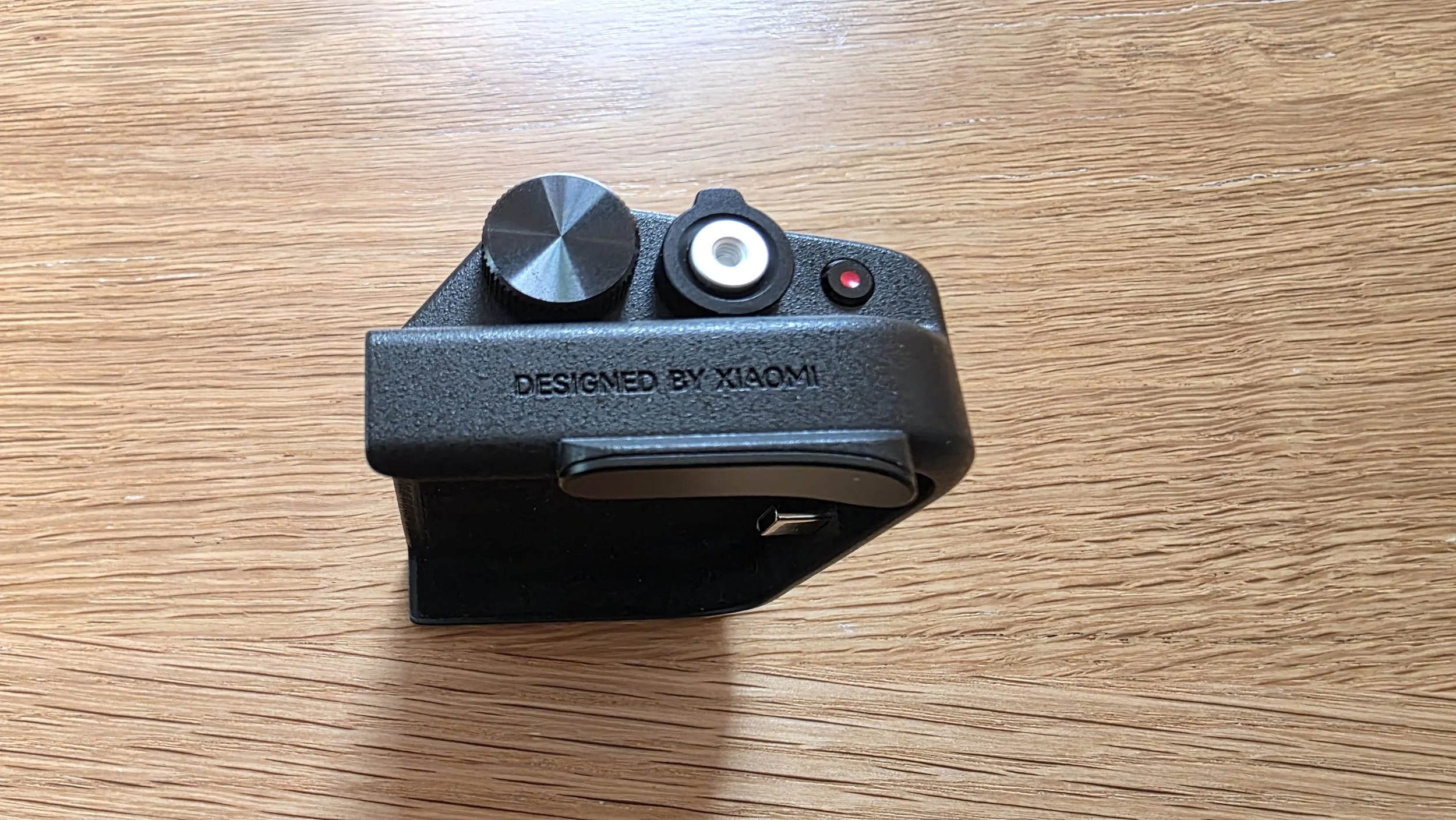
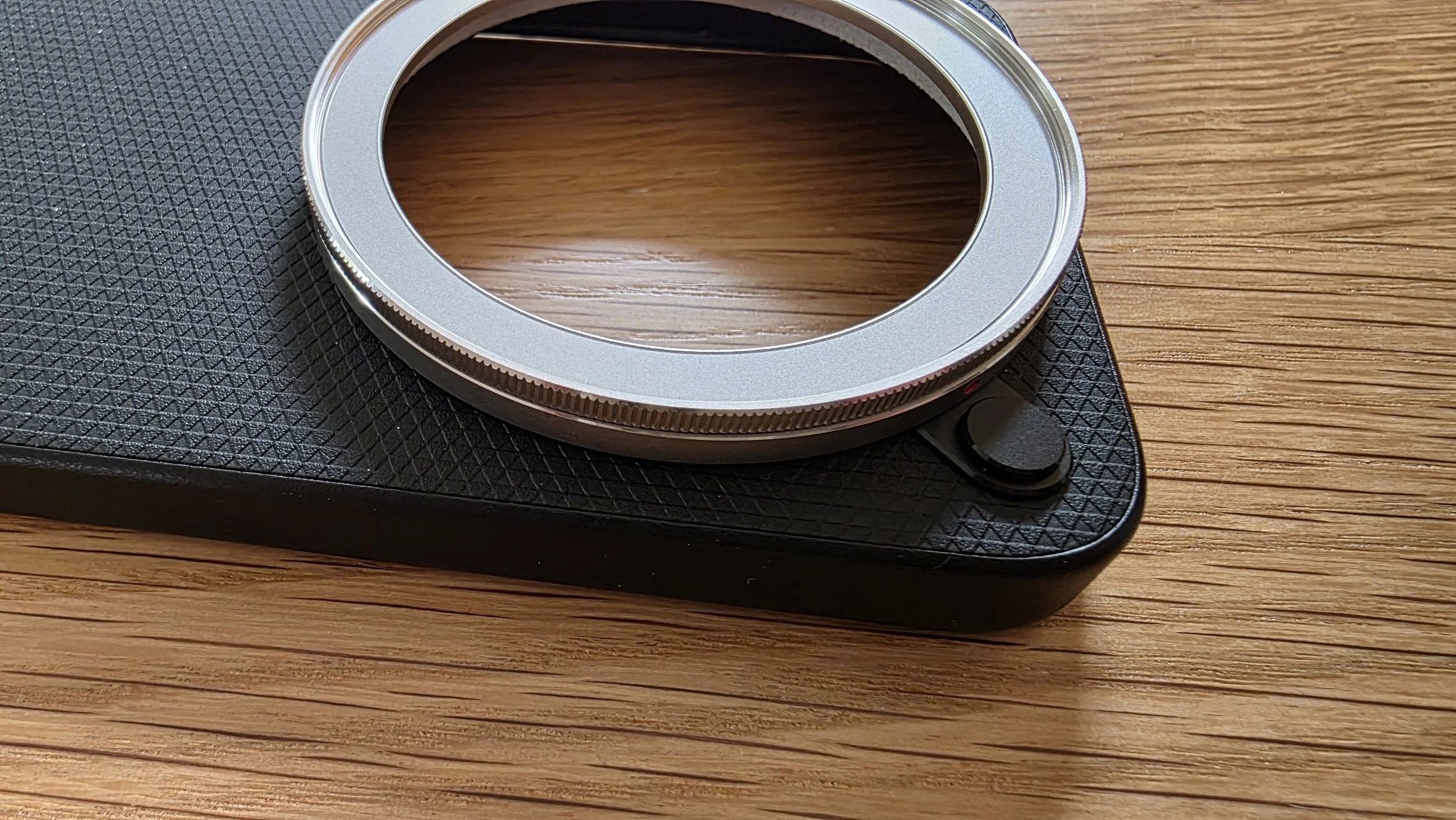
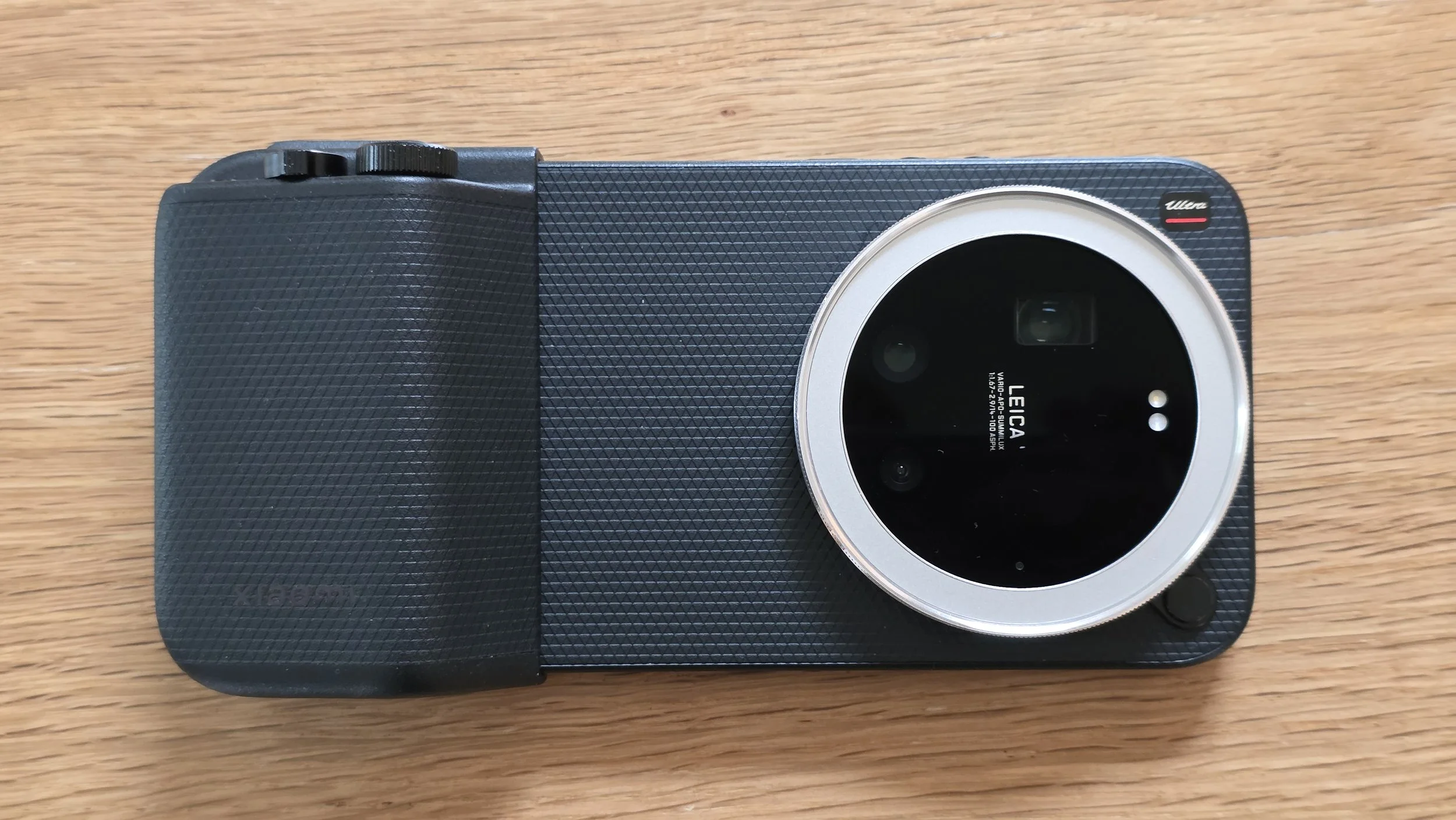
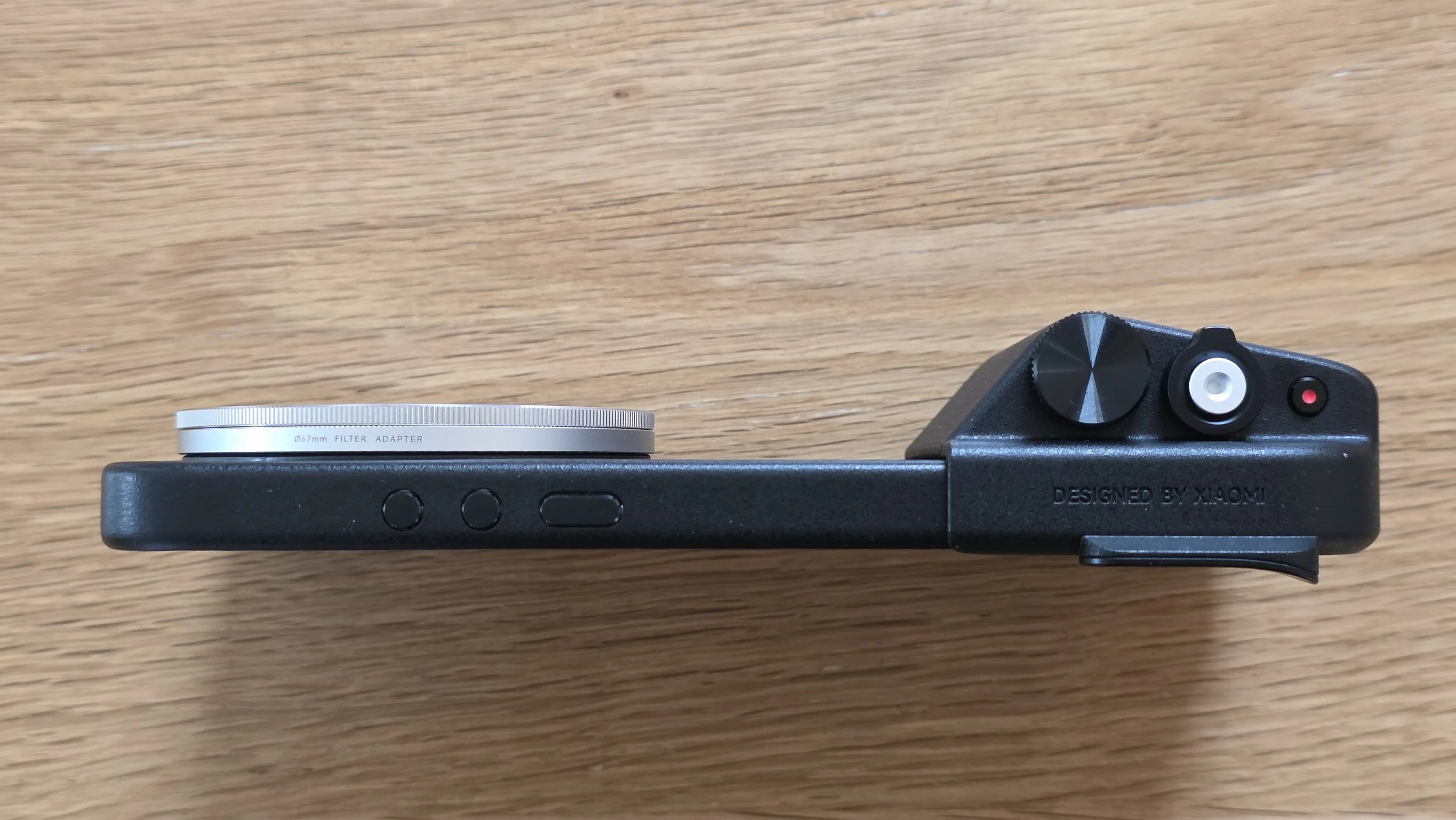
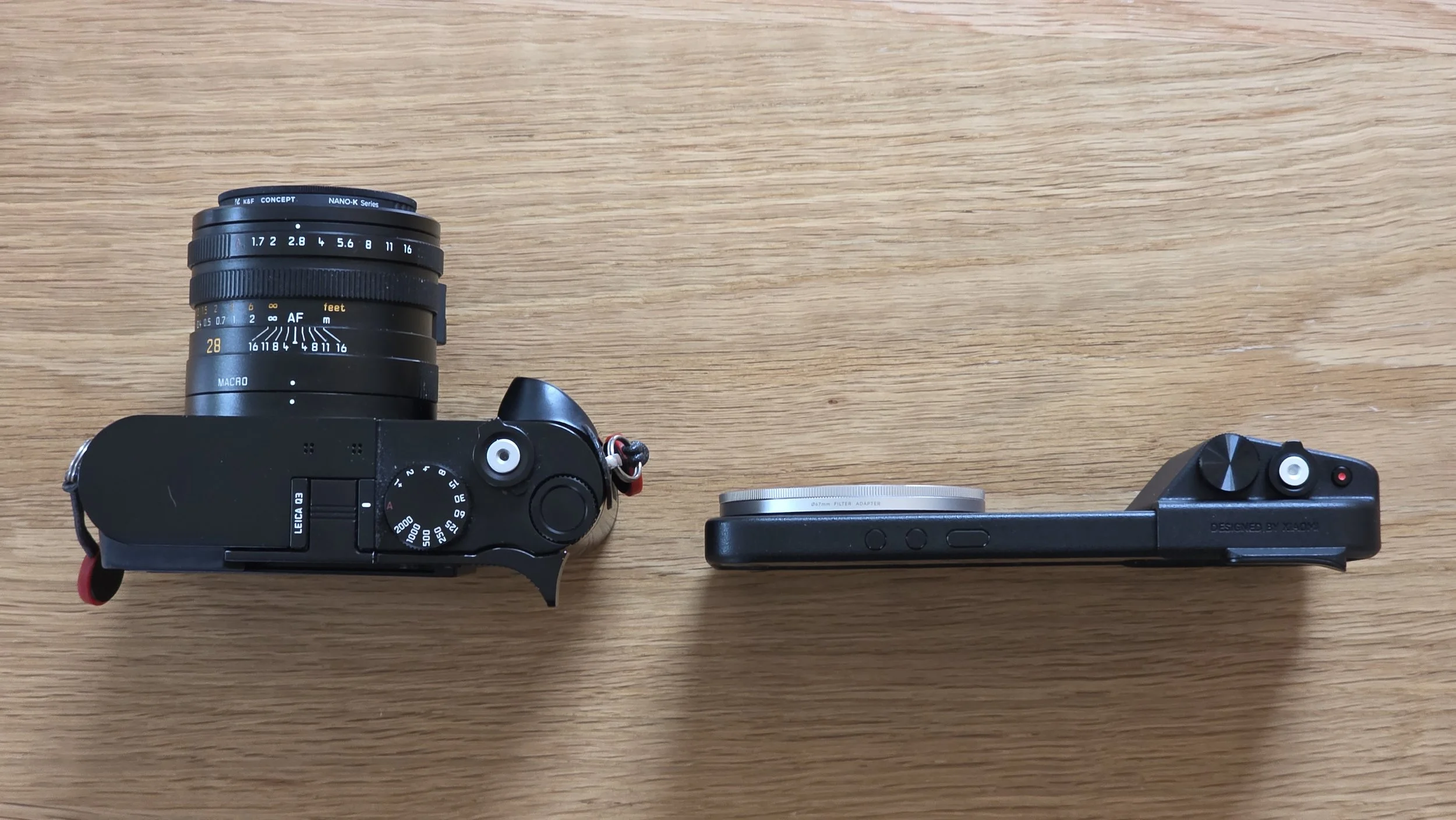
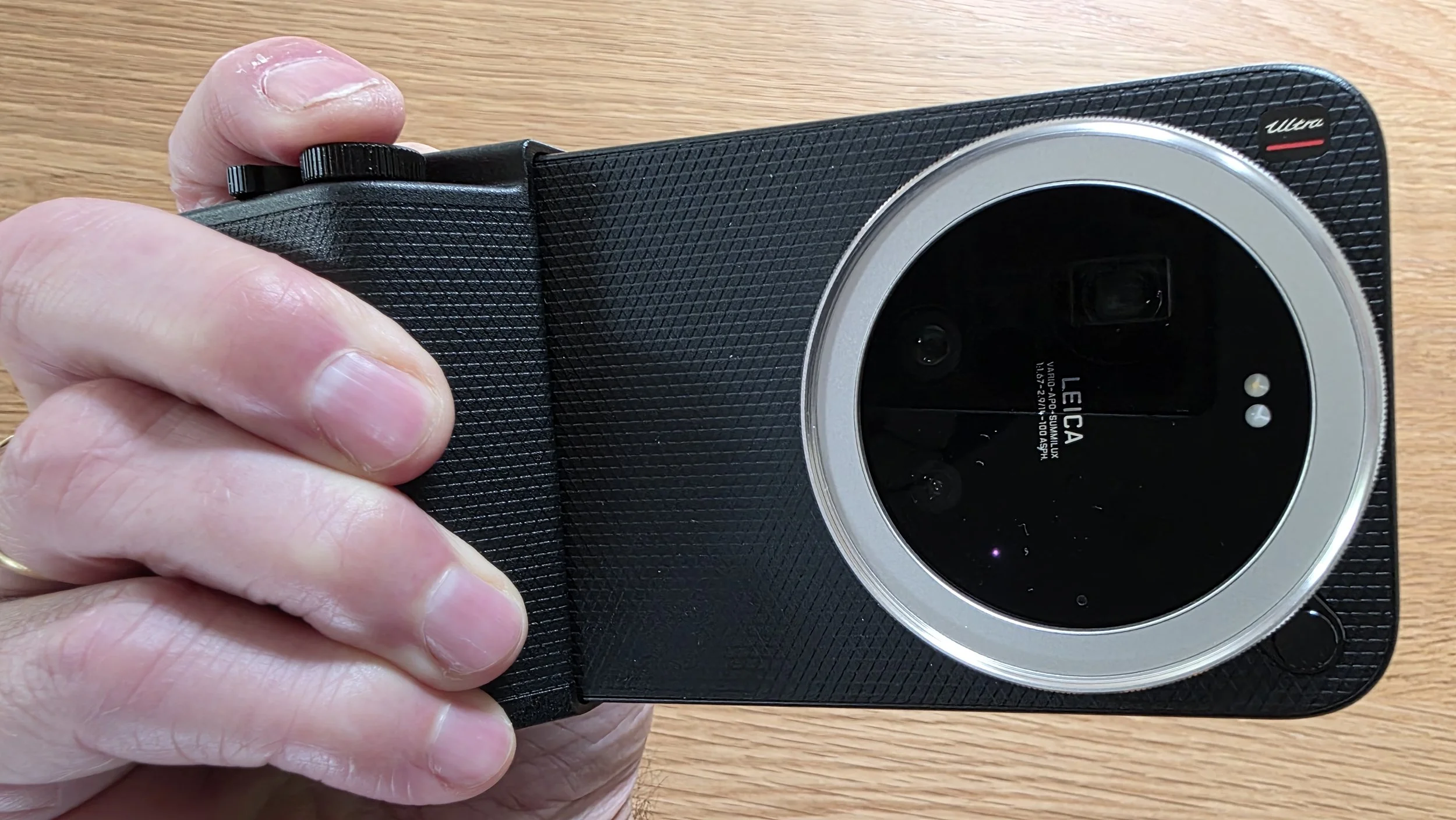
The kit has two parts. First the case goes on the phone and you can press a little button like a lens release button on a camera to switch the standard lens ring for one that has a 67mm filter thread, which is what I did. The second part is a solid and dense grip that fits over the side of the case and locks into place. This grip completely transforms the ergonomics. It provides a beautifully textured, comfortable hand hold and even has a thumb-grip that allows for confident, one-handed shooting. It also includes a red rope wrist-strap like the one you get in the Leitzphone box. More importantly, it fixes the handset’s hardware omissions by adding:
A proper, physical, two-stage shutter release (which can be pressed and held to instantly wake the phone directly into your camera mode of choice (“Pro” obviously).
A tactile zoom rocker.
A customizable control dial which I immediately assigned to exposure compensation.
An additional 2000mA battery that can also power the phone.
The swappable lens ring that yields a standard 67mm filter thread—a massive plus for landscape shooters wishing to use physical ND filters.
Sadly the rotatable lens ring on the case is similarly loose and rattly with no proper detents. It rotates too easily and isn’t accurate enough to use to control the camera’s settings. As with the ring on the phone itself, I turned it off as it was annoying me too much. It would also be useful to have a tripod mount screw thread on the bottom of the grip.
Also sadly, the red Leica dot is now missing as it isn’t on the Xiaomi Photography Kit Pro case.
Despite these issues, I’d say the Photography Kit Pro is an absolute must-have. Without it, the Leitzphone is just another clumsy smartphone; with it, it finally starts to feel like an actual camera albeit a slightly bulky one.
Other Inbuilt Functions
Like Samsung and Apple phones, the Leitzphone has Xaiomi’s other camera functions that I found by accident, which include:
Timelapse
Long exposure
Panorama
Xiaomi Fastshot
The latter is rather interesting. It is more like what I would have thought a Leica phone camera experience would be like. It is much simplified. Zoom is by common Leica M lens focal lengths at 28, 35, 50, 75, 90 and 135 (but no 24mm which is curious as the main native lens is 23mm equivalent). Some focal lengths have framelines which is great and very familiar.
The font is Leica style. There is a simple exposure compensation setting that can also be implemented by the dial on the Pro grip. What is missing is lens and aperture selection. Satisfyingly, things rotate with the phone orientation, except for the frame line text (doh!).
You can select Fastshot as the camera mode that opens when you long-press the Pro grip shutter release button. In fact, the more I used the phone, the more I enjoyed the simplicity of this mode. It is much more Leica-like than any other. Such a shame the lens selections aren’t in it. Imagine if this was instead called “Leicashot” and had lens and “virtual” aperture selection included, and used “Leica Authentic” style for realistic darks and lights. Wouldn’t that be good?
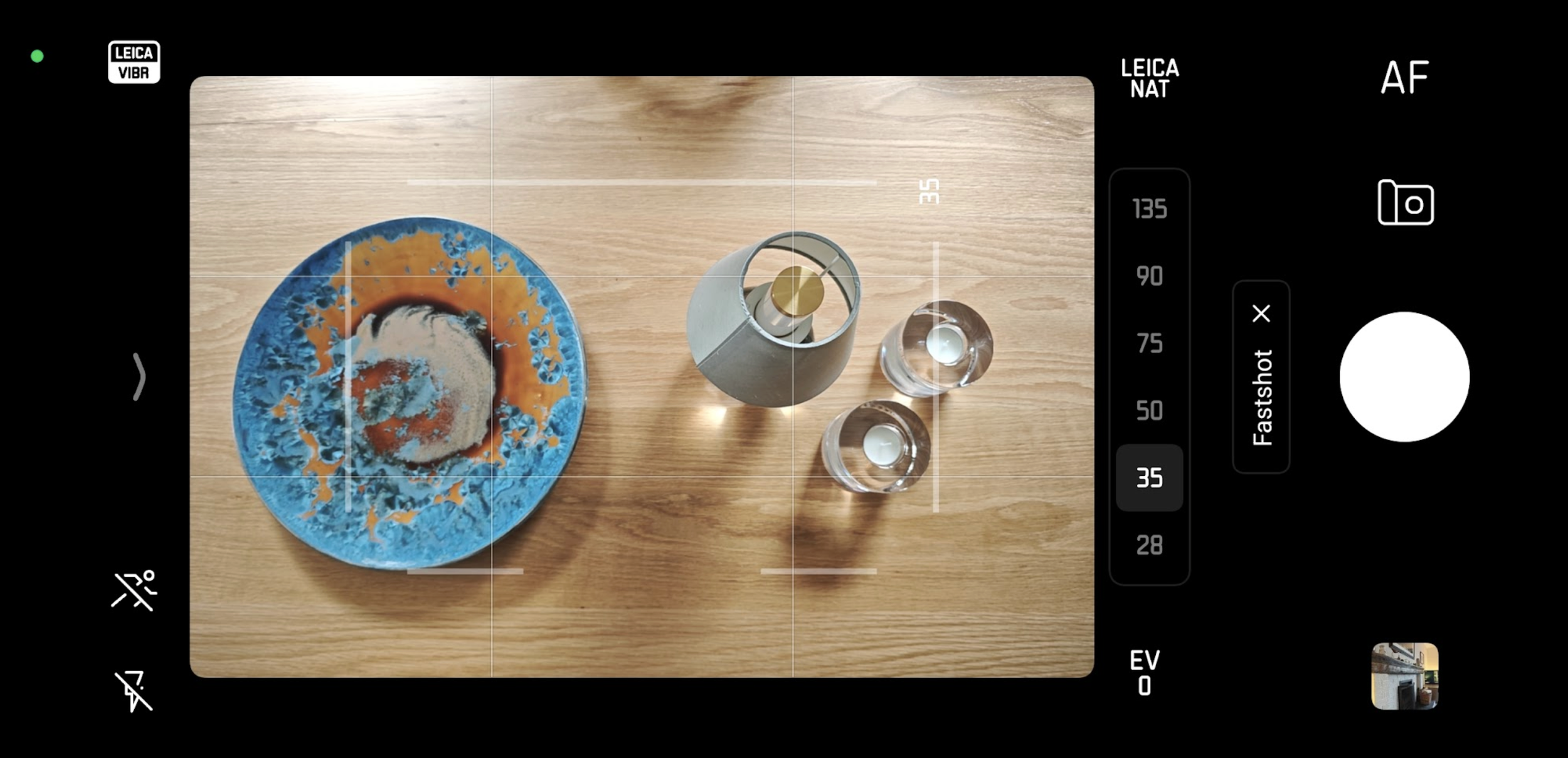
Xiaomi “Fastshot” camera mode. So much potential. So much disappointment.
Usability Verdict
For a casual (and wealthy) user looking for a fun smartphone wrapper with some neat Leica branding, the Leitzphone is an interesting and very expensive device. I can definitely see the marketing ploy of using it as a gateway drug to the world of high end Leica Q, M and SL hardware but I fear the user interface will put people off making the jump to the “proper” camera gear if they think the real cameras are similarly unsatisfying to use. Leica may have shot themselves in the foot here.
Sadly, for anyone used to the uncompromising, intuitive, tactile purity of a "proper" Leica camera like the Q3, or even just someone used to a basic and sensible user interface, the out-of-the-box camera software feels bloated, inconsistent and hugely confusing. After a lot of use during this road-test, I started learning where all the functions were, but it remained clumsy and unintuitive. It is a huge let-down for me. There is so much potential that has been wasted. The basic components are there, but strung together haphazardly and illogically in a most un-Leica fashion. Someone has badly dropped the ball here.
It takes the addition of the physical Pro Grip to unlock some of its photographic potential and bridge the gap between a phone and a camera. But I fear that is not enough.
Let’s get into the images now.
Image Quality and Comparisons
Well well well. This got very interesting very quickly.
The Leitzphone is VERY good when shooting with the main 50mp 23mm camera. Detail and sharpness is impressive. As a reminder, the Leitzphone’s three cameras are:
Ultrawide 14mm 12mp f/2.2
Main camera 23mm 50mp f/1.7 (f4.5 in full frame equivalent)
Telephoto 75-100mm optical zoom 200mp (12.5mp in reality) f/2.39-2.96
I have really enjoyed exploring the capabilities of this phone/camera. The more I used it and got used to the interface nightmare, the more I appreciated the end result. In many ways, RAW or JPEG or 50mp or 12mp doesn’t really matter in the majority of circumstances.
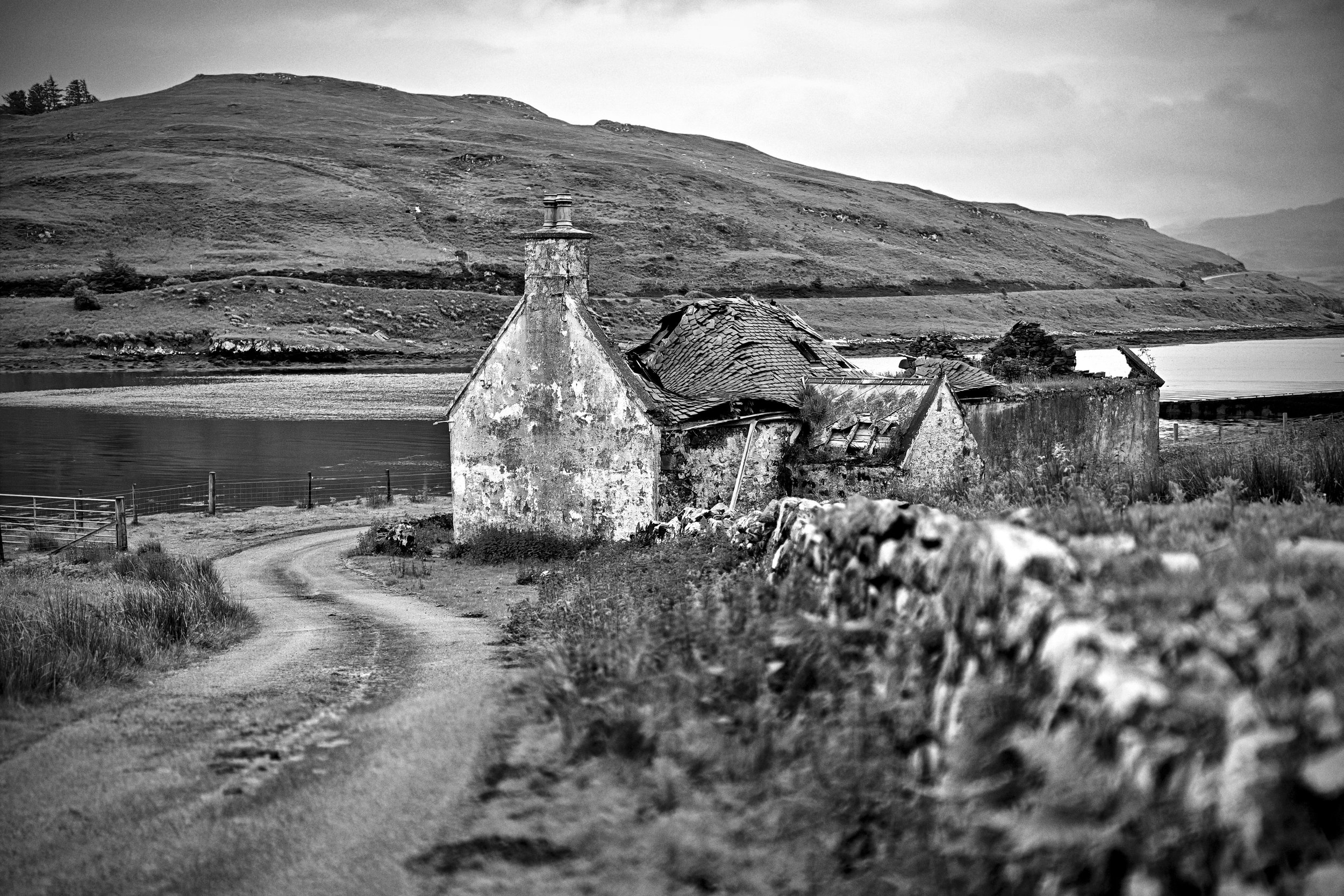
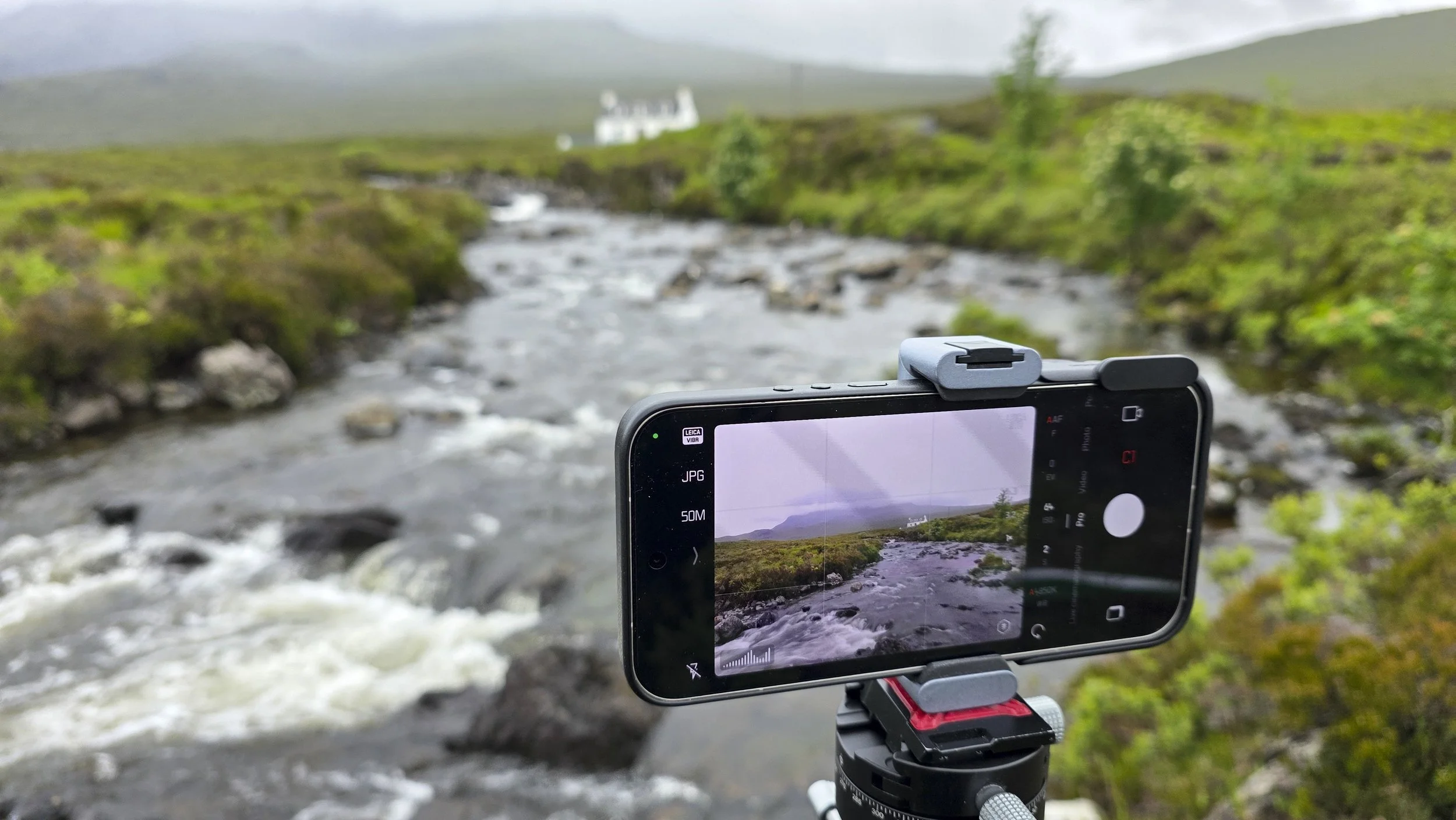
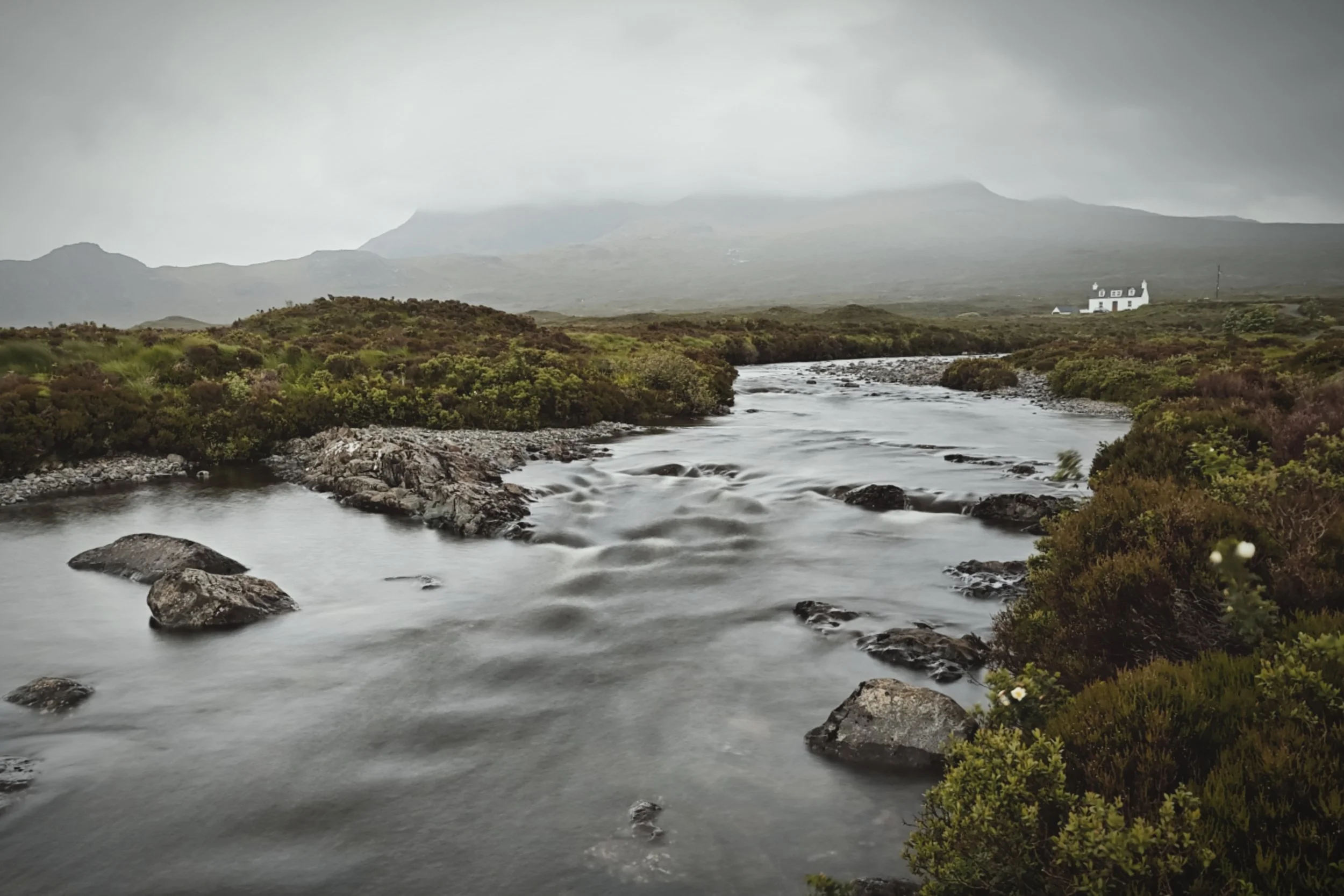
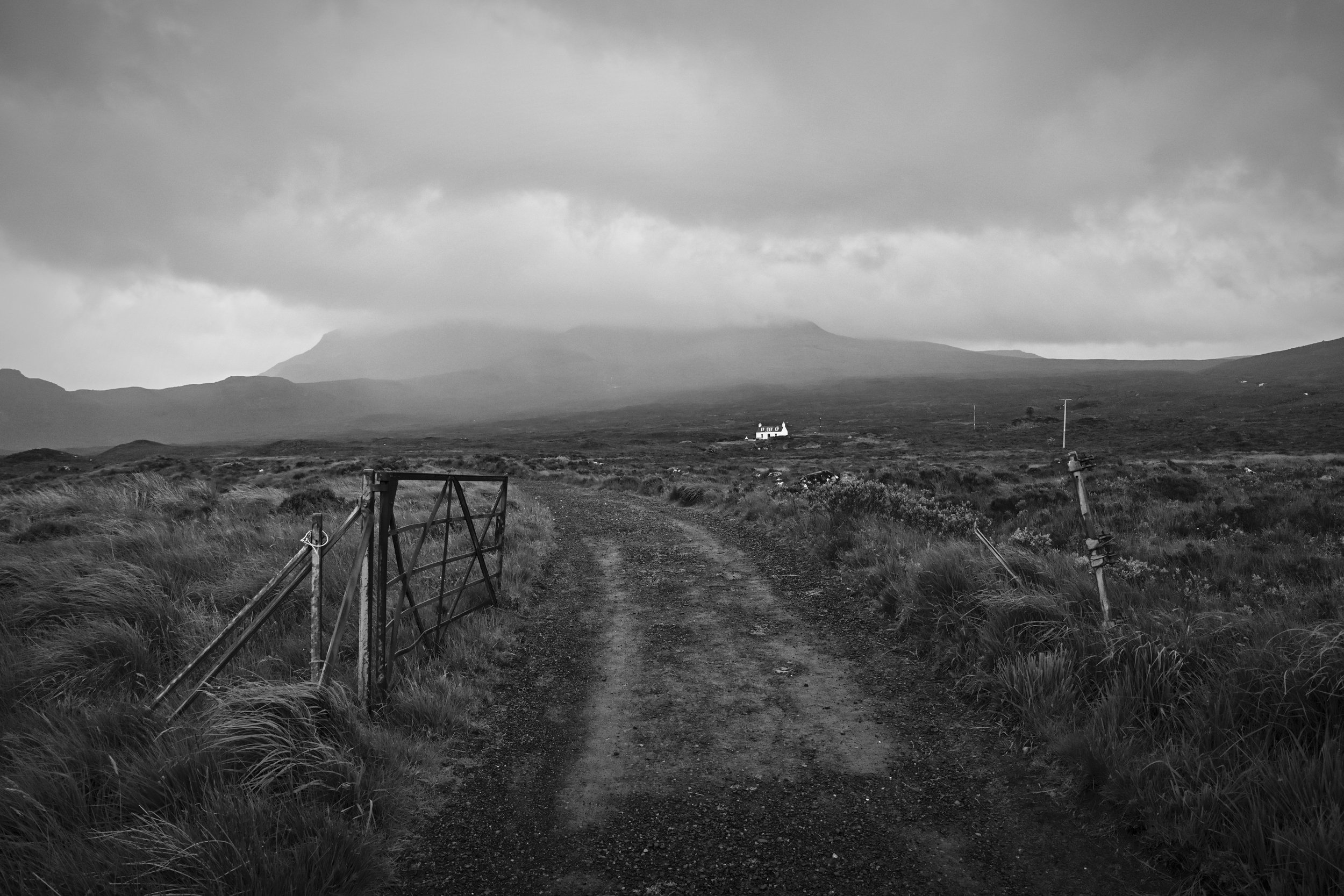
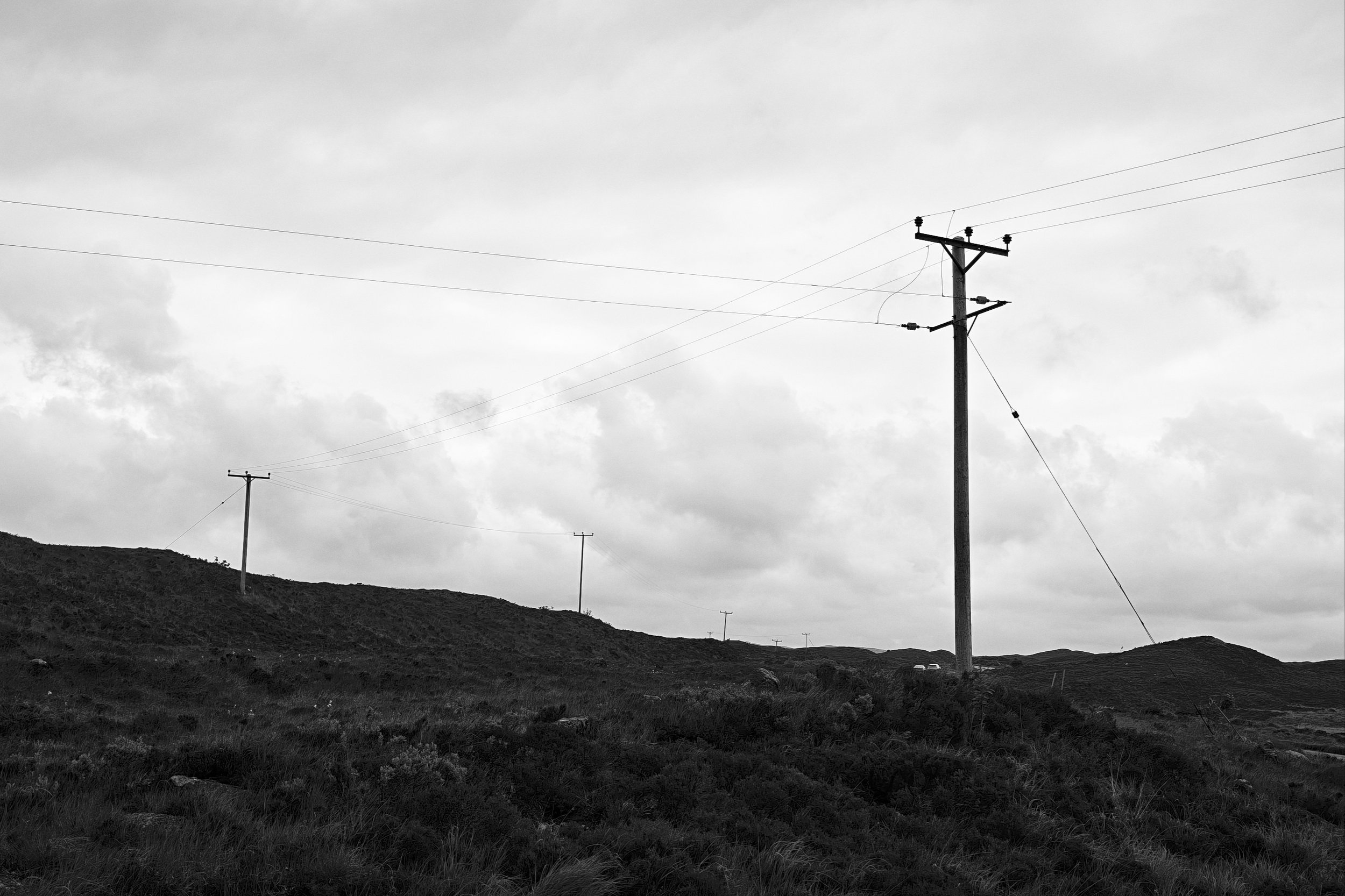
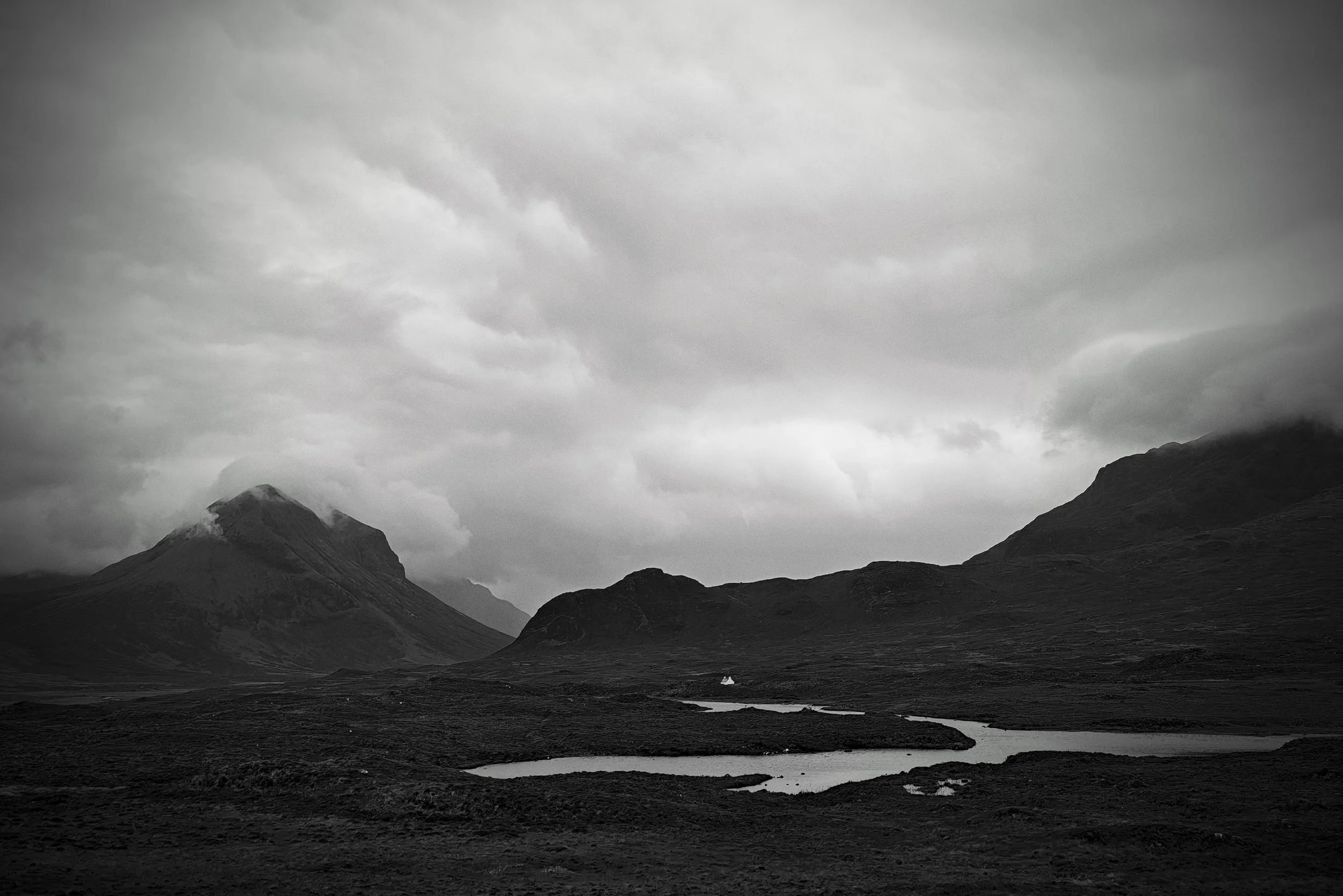
To whet your appetite, here is a gallery of images from around Skye to start you off before we get into the comparisons with my Q3. Some are quickly taken, some I have picked particular settings and lens simulations. They use the variety of main and telephoto camera. All were quickly edited in-phone or had Leica look presets applied when the photo was taken. Some were taken using Pro mode, some in Portrait mode, some in Fastshot mode (a good example of the disaster of a user interface!). Click for larger.














Side-By-Side Comparison versus Q3
My Q3 comparison testing method was fairly simple. Take a shot with the Q3 and the same shot with the Leitzphone. Initially I wanted to use minimal computational photography on the Leitzphone, and then ramp up the AI tech later.
To compare the Leitzphone with the Q3 (60mp 28mm f/1.7 lens), I used the phone’s main camera (50mp 23mm) and RAW mode (except when the phone went to JPEGs without me noticing). I set the aperture on the Q3 to f/4.5 to match the full frame depth-of-field equivalent of the phone’s main camera lens and sensor combination. I then framed the shot as closely as possible to match compositions.
I aimed for a variety of compositions and settings to try and pull out the differences between the two cameras. I just used the “Leica Standard” look/filter as I knew I’d be editing the RAW files later.
I imported the images into Lightroom and processed them in the way I would usually do. This would mean I’d convert some shots to black and white and leave some as colour as determined by the subject matter and my own subjective choice. The Leitzphone would shoot in 3×4 aspect ratio (it would drop to 12mp if I changed it to 3x2) and the Q3 in 3×2, so for comparison purposes I cropped the Leitzphone to images 3×2 in some cases. Due to restrictions on my website I exported JPEGS as 4000px long edge at 85% and 300dpi rather than full resolution, but enough for you to get a good idea of the quality level.
My intention was to use the phone like I’d use my Q3, real-world rather than trying for an overly scientific pixel-by-pixel comparison.
Ready?
Scene 1: Abandoned Chapel
A very tricky scene for any camera. Dark, high contrast, loads of detail. Both cameras were mounted on a tripod. And wow, the Leitzphone really nailed this one. Really impressive. It has captured the amazing textures on the walls, and every bit of detail in the roof and pews.
Ideally I’d have used a much smaller aperture to get the “sun stars” at the small holes in the windows, but you can’t adjust the physical aperture of the Leitzphone annoyingly. This is an important thing to understand about the Leitzphone. Creative effects with aperture are not possible except with computerised effects. and the computed aperture simulation in Portrait mode doesn’t really do small aperture simulation very well.
However, once converted to black and white in Lightroom, you’d be hard pressed to figure out which camera took which image unless you zoomed right in (see side-by-side lower down). At normal viewing, the Leitzphone hits it out of the park. At high zoom levels, you can see where your £5,650 goes as the sharpness and detail from the Q3 is definitively superior to the Leitzphone. But you’d expect that.
I would have been happy to use this Leitzphone shot in my book “Glas”.

Leitzphone main camera, 50mp DNG, 1/100th f/1.7 ISO 100. Slight crop to best match Q3’s 28mm.

Leica Q3 60mp DNG, ¼ sec f/4.5 ISO 100
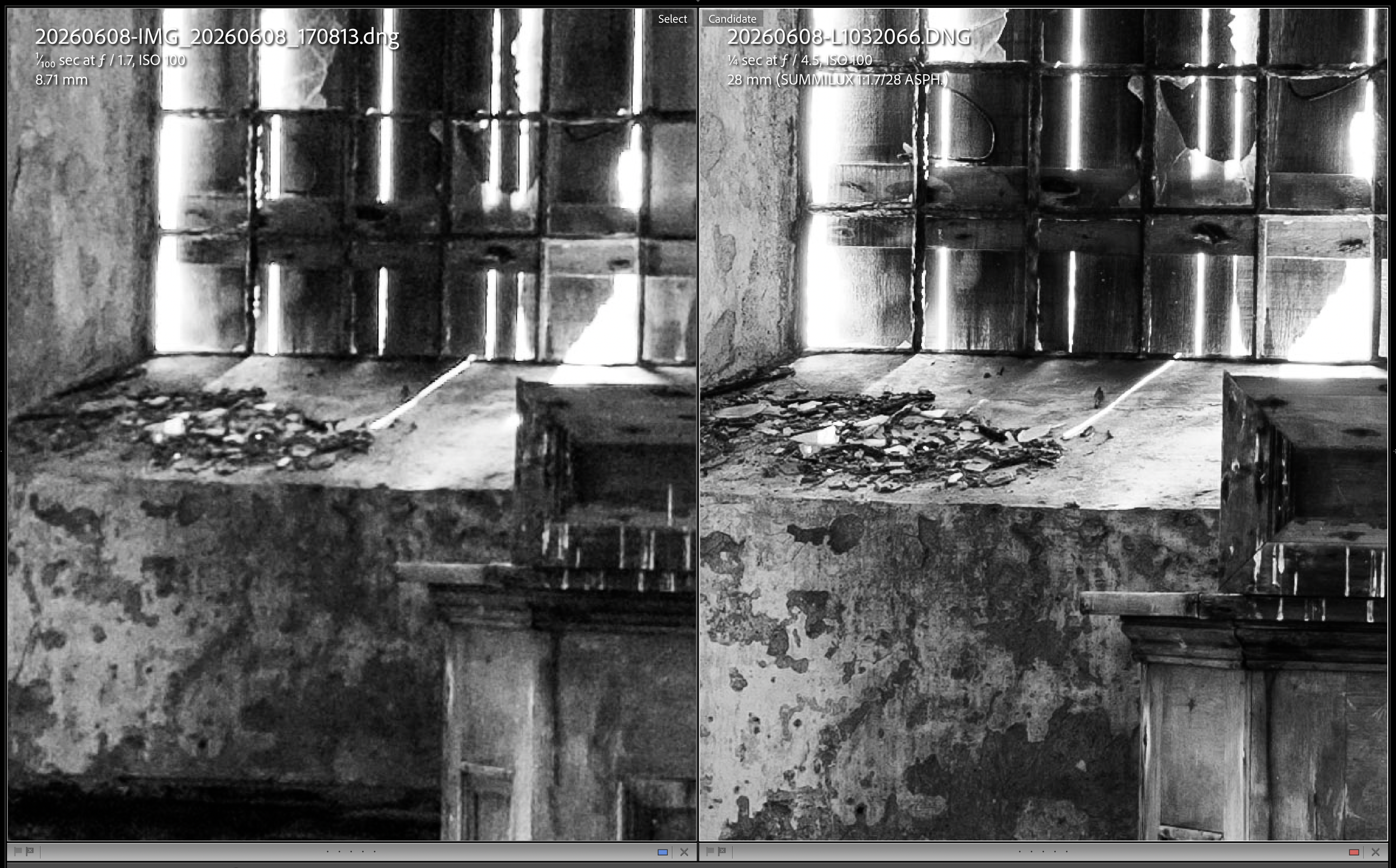
Detail at 200x zoom. Leitzphone on the left, Q3 on the right. Thankfully the £5,650 Q3 is better than the £1,699 Leitzphone.
Scene 2: A Wooly Fence
Could the Leitzphone give me a similar (simulated) depth of field effect as the real optics my Q3? Time to find out with a wire fence that the local sheep like to rub themselves on.
I have again converted these to black and white, as that’s what I would do with this image anyway. For me, and for this review, the key thing is whether I can get an image from the phone in the look I want once processing is complete. I ran these through a Lightroom preset I frequently use for mono shots, and equalled out the exposures which were slightly different between the two cameras.
The difference with the previous Chapel shot is that here I used the Portrait mode Leica lens simulation on the Leitzphone to set it to as close to my Q3’s 28 Summilux as possible, so zoom to 1.2x (aaagghhh just tell me the focal length in mm so I don’t have to google the equivalent every time please), and the lens set to a Summilux at f/1.6 (it wouldn’t allow me to set it to f/1.7 regardless of what the EXIF says) . The result from the Leitzphone is a 4096×2732 (12mp ish) JPEG that you can adjust the focus blur after the shot if you like. The Q3 shot is a RAW 60mp image. Both images are resized in Lightroom to 4000px long edge for my own website storage constraints.

Leitzphone set to Summilux at f/1.6 12mp JPEG (note Lightroom is reading the EXIF of the native lens aperture not the computed aperture of f/1.6)

Leica Q3 f/1.7 60mp RAW
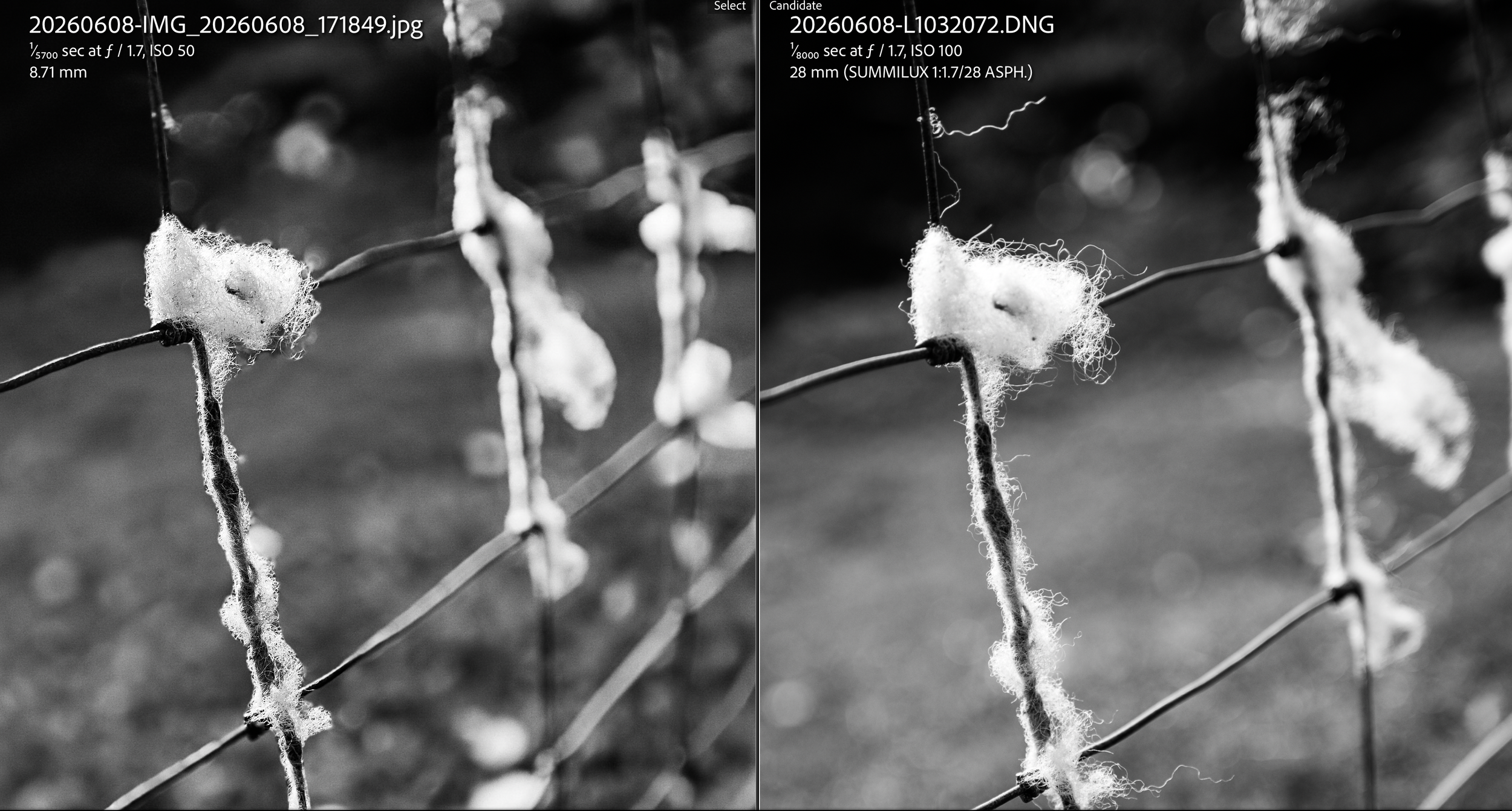
Side by side, Leitzphone on the left, Q3 on the right.
The side by side comparison above shows some of the flaws in the Leitzphone, such as the way the bokeh algorithm has missed the thread above the main clump of fleece.
However, it is remarkable isn’t it? The lens characteristics have more of a “bubble bokeh” which is probably OK if we are thinking of an older Summilux (the phone doesn’t give you the option to pick versions or age of the lens when you select it). If you didn’t have the Q3 image to look at, and weren’t focused on the minutiae of tiny bokeh irregularities, you’d be very happy with the Leitzphone’s output. Sure 12mp is a lot less than 60mp, but I doubt you’d have any problems printing this at A3 size
Scene 3: Landscape
Time for a bit of colour. Here is a view of the outside of the ruined chapel, and what a lovely location it is. While not the most incredible composition you’ll ever see, it is useful to bring out the differences between the two cameras.
The Leitzphone is in Pro mode at 1x zoom with the Leica VIBR “style” and the Leica Std “look”/preset to give me this 50mp RAW (actually a DNG) image.
I’m not sure how the Leitzphone can be in RAW mode and still have an image style/look preset applied to the resulting file. Also how can I have a style AND a look at the same time? I really am baffled by this. Anyhow, the phone gives you a JPEG and a RAW, but both have the look/preset applied. I can’t get the colour back from a RAW file if I used a black and white look. Eh? Kind of defeats the purpose of RAW files.
The Q3 is set to f/4.5 to mimic the equivalent depth of field of the Leitzphone.
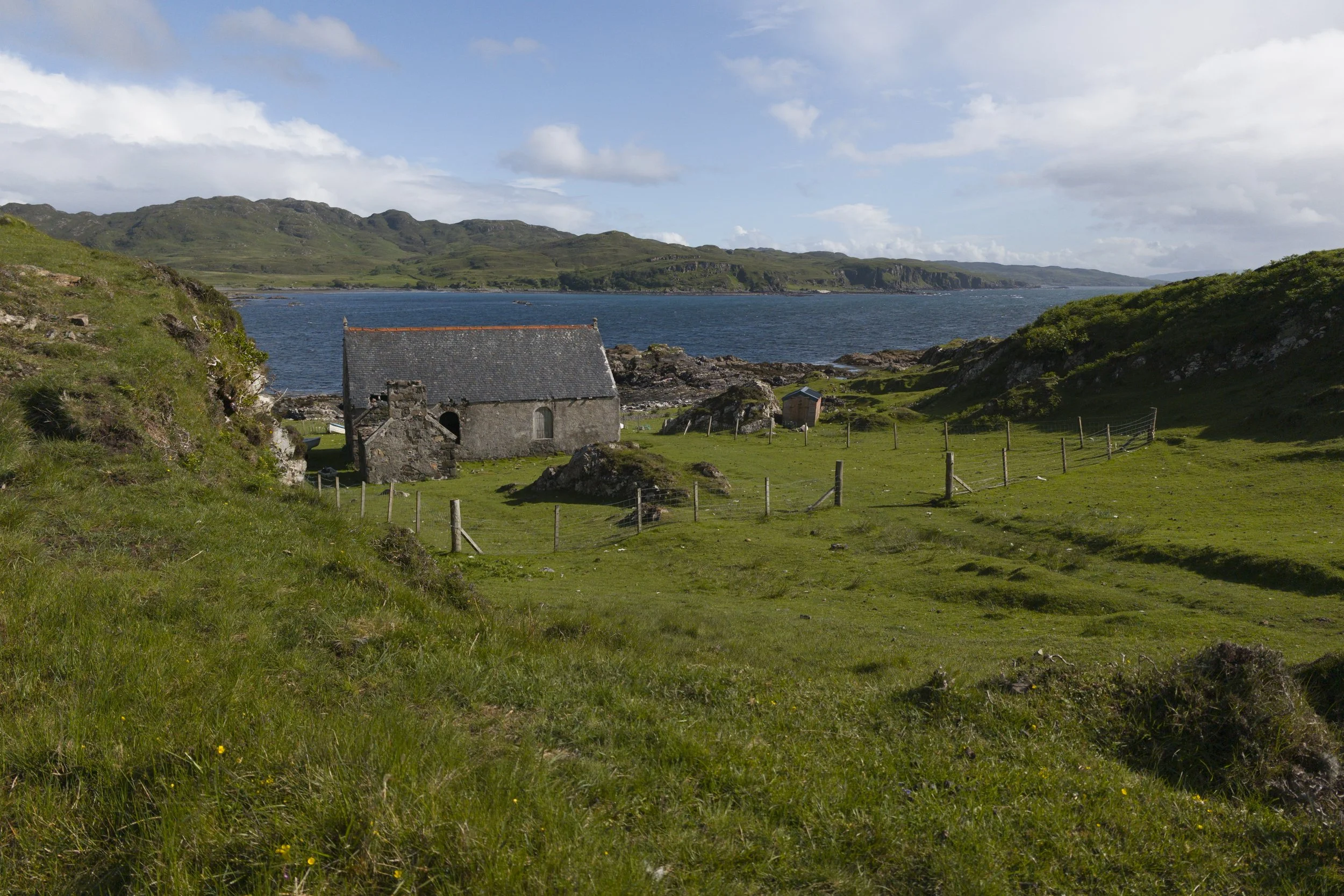
Leitzphone Pro mode 50mp RAW 1/12800, f/1.7 ISO 112. Slight crop top and bottom to give 3×2 rather than 4×3. No other processing.

Leica Q3 60mp RAW 1/500th f/4.5 ISO 100. No processing
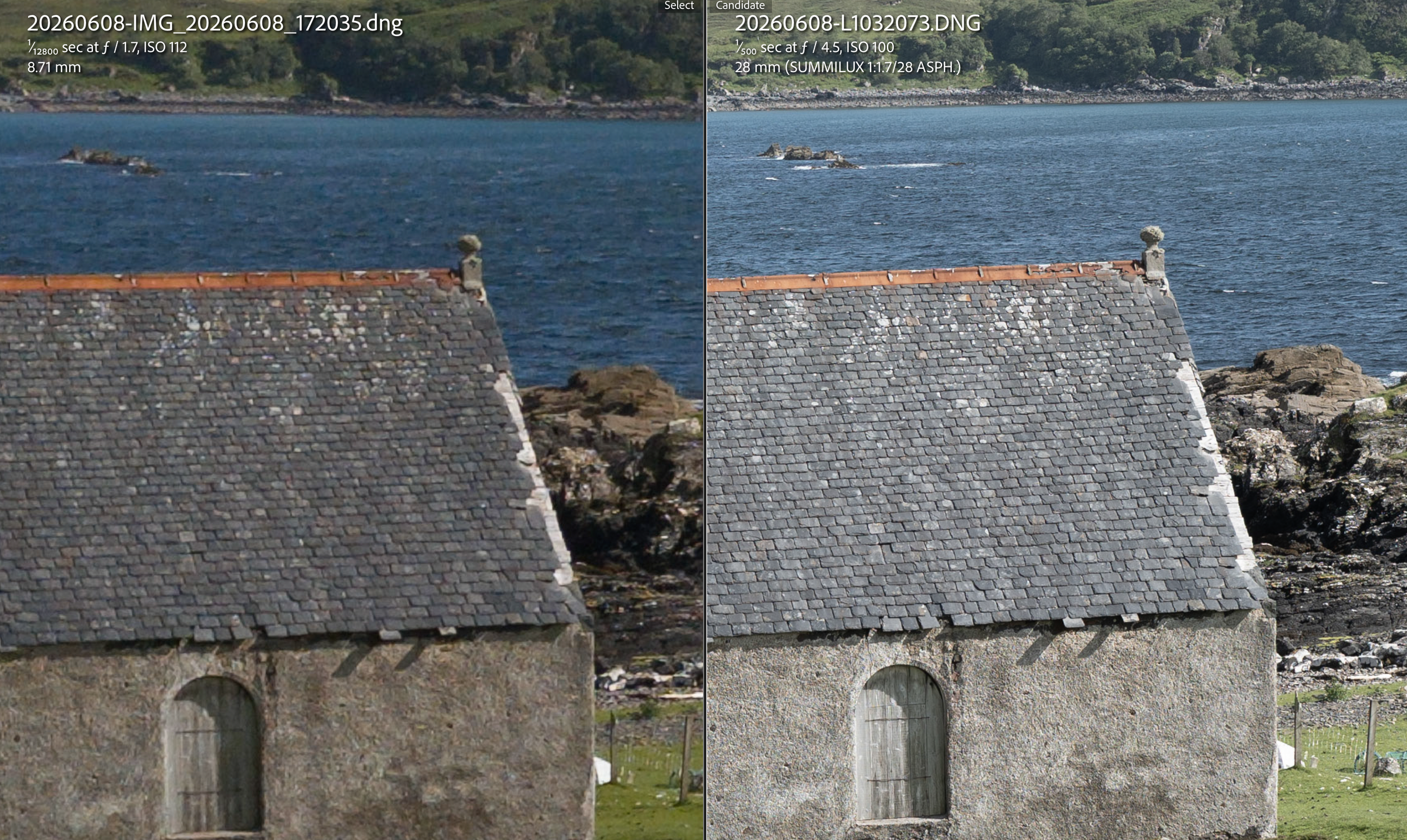
Approx 200% zoom, Leitzphone on the left, Q3 on the right
The Leitzphone shot is more contrasty and saturated than the Q3 image, likely due to using the Leica Vibrant style but I’m surprised that affected the RAW file. Both are unprocessed after the shot. I suspect the unavoidable Leica style/look/preset that is applied to the RAW file is to blame. The Q3 image is a bit more exposed than the Leitzphone though both were on auto shutter speed. The Q3 image is a better representation of reality.
As we saw on the interior shot of the chapel, the Q3 aces it from a sharpness perspective. The Leitzphone can’t compete at critical image sharpness, which is probably a good thing for the sale of Q3s!
As a side note, it was incredibly annoying to have to check the Leitzphone was in RAW mode for every shot. It seems that changing a setting like zoom or changing mode sets the camera back to JPEG, and when you find your way back to Pro and 1x zoom, it stays in JPEG so you need to manually change to RAW again. The user presets don’t remember the RAW setting either, which is insane.
Leica Lens Simulations
We have established that the Leitzphone Xiaomi 17 Ultra is pretty impressive in Pro mode, though not as good as the Q3 from an outright image quality perspective. We also know that the user experience is terribly confusing.
So let’s have a closer look at the lens simulations, as this is one of the most interesting capabilities of this flagship device.
To access the lens simulations, you need to go into “Portrait” mode, and click a tiny red "f/2.8” icon at the bottom left of the screen. This opens up the lens selection menu (which of course does not rotate with the screen). Once you are there, you can select between five lens types, Summicron, Summilux, Noctilux, Thambar and something called “Anamorphic”. There are no focal lengths listed for these lenses - you can just freely zoom using the poorly designed magnification feature.
It would be much easier if there was a single “Leica” mode that enabled all the Leica goodness rather than smattering it around the Styles, Looks, “Essentials”, Pro, Portrait modes in a confusing mess. And wouldn’t it be great for those who may move into real Leica M ownership to be able to choose and experience realistic lenses e.g. a 35 Summicron or a 28 Summilux. Let me pick the actual lens and focal length based on real world products. Perhaps a toggle for “Realistic” or “Flexible” would work? Or just make it like the “Leica Lux” iPhone app that lets you select specific lenses and focal lengths like a normal person.
Anyhow, I have conducted a number of experiments next to a glittering blue sea with some lobster pots which always make nice subjects. The sparkling waves provide an excellent way to investigate bokeh characteristics. The netting makes for a very complex challenge for the depth calculation algorithm.
Leica lenses at “real” widest aperture
To start off, let’s look at these lens simulations with a realistic widest aperture for each lens type. I haven’t used the anamorphic lens here in this test as I’ve no idea what this is, but there is an example later. All were shot the native 23mm equivalent focal length of the main camera, and they are all 12mp JPEGs (no RAW here in Portrait mode).
As you can see (click for larger), a lot of effort has been put into creating simulations that are noticeably different from each other. The Summicron is quite contrasty with smoothly round bokehballs. The Summilux is gentler and less contrasty, and the bokheballs change from round in the centre to cats-eye towards the edges which is interesting. There’s a slight edge to the bokehballs. I feel this is an older Summilux as the newer ones are rather more contrasty.
The Noctilux looks different again, with more pronounced edges to the balls, and a more pronounced cats-eye effect. The bokehballs are larger as you’d expect with a native widest aperture of f/0.95.
The Thambar is a completely different pot of lobsters, with very pronounced ring bokeh throughout which is very characterful and could be useful to make images stand out from the crowd.
I should note that the accuracy of the cutouts at the edges of the in-focus to out-of-focus areas, such as the edges of the rope next to the distant water surface, is extremely good. Better than anything I’ve seen from Samsung or Apple. There are the odd mistakes here and there especially in some of the netting nearer to the camera, but in general use nobody will notice. Quite extraordinary, and it’s only going to get better!




Bokehgasmic! Noctiluxes Everywhere
One of the weird features (bugs?) of the Leitzphone is that you can set any of the lenses at any focal length/zoom level, to be an f/0.95 aperture!
This is surely the best way ever devised to save money on Leica gear. A 50mm Noctilux-M costs £10,580 a the time of writing. Now you can have one as a little feature in your phone. Or a 28 Noctilux. Or a 90 Noctilux. Anything you like. Nice.
So I decided to use f/0.95 for everything. And I included the Q3 and the Leitzphone’s Anamorphic lens as well just for comparison purposes.







Testing “front bokeh”
Can the computational photography algorithms handle blur ahead of the focal point as well as behind it?
I took up a different viewpoint to look along the length of the stack of lobster pots to make sure there was plenty of foreground, and set focus to be on the pot on top of the stack by tapping the screen.
I am quite impressed by how the phone handled this. It has indeed figured out that the foreground needs to be blurred as well as the background, and has done a good job with it. The blurring reduces as you move through the shot to the focal point. Notably the foreground bokeh also reflects the characteristics set for the lens, and you can see differences in the “busy-ness”, texture and contrast of these areas.
The bokeh-donuts of the Thambar are really pronounced here.
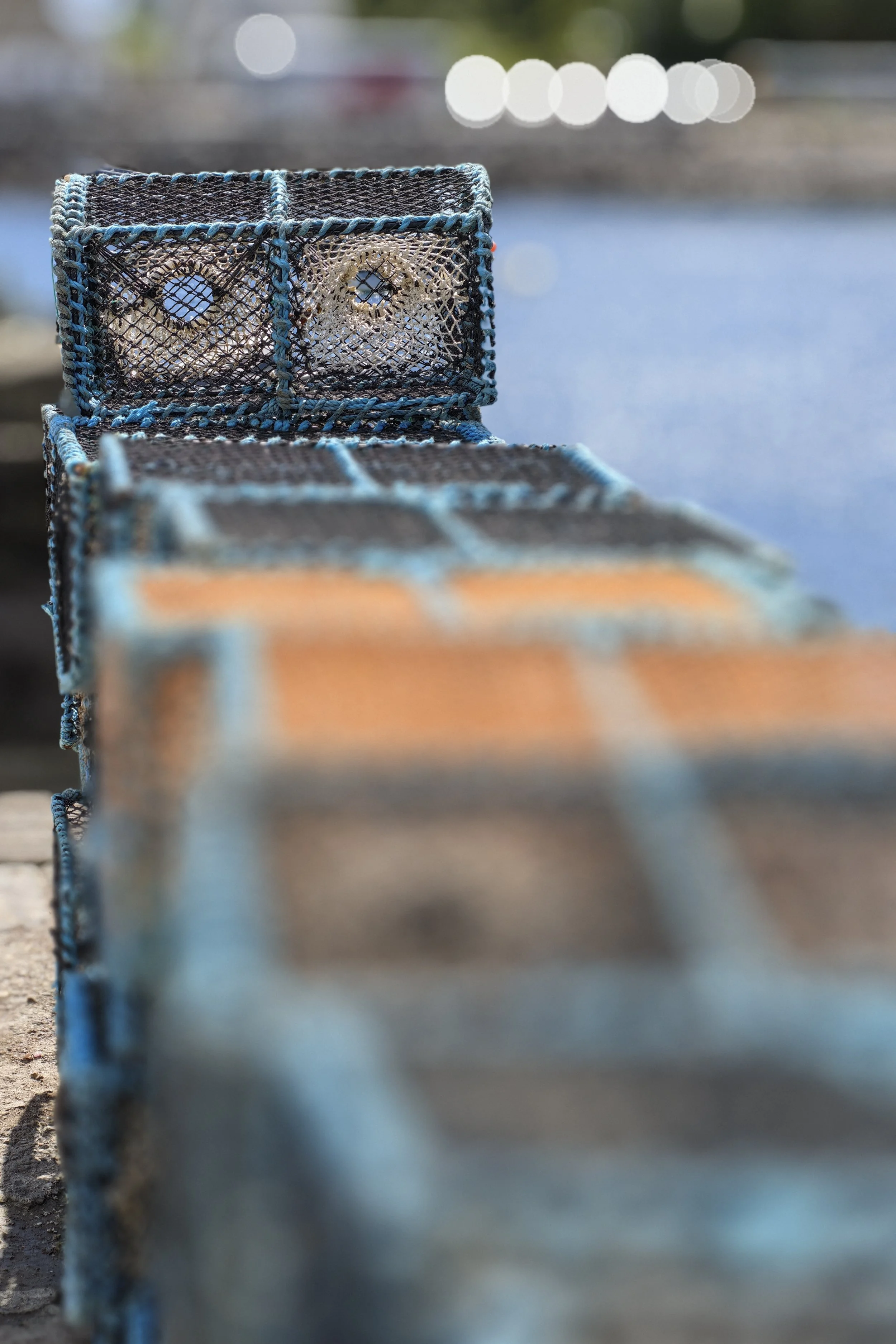
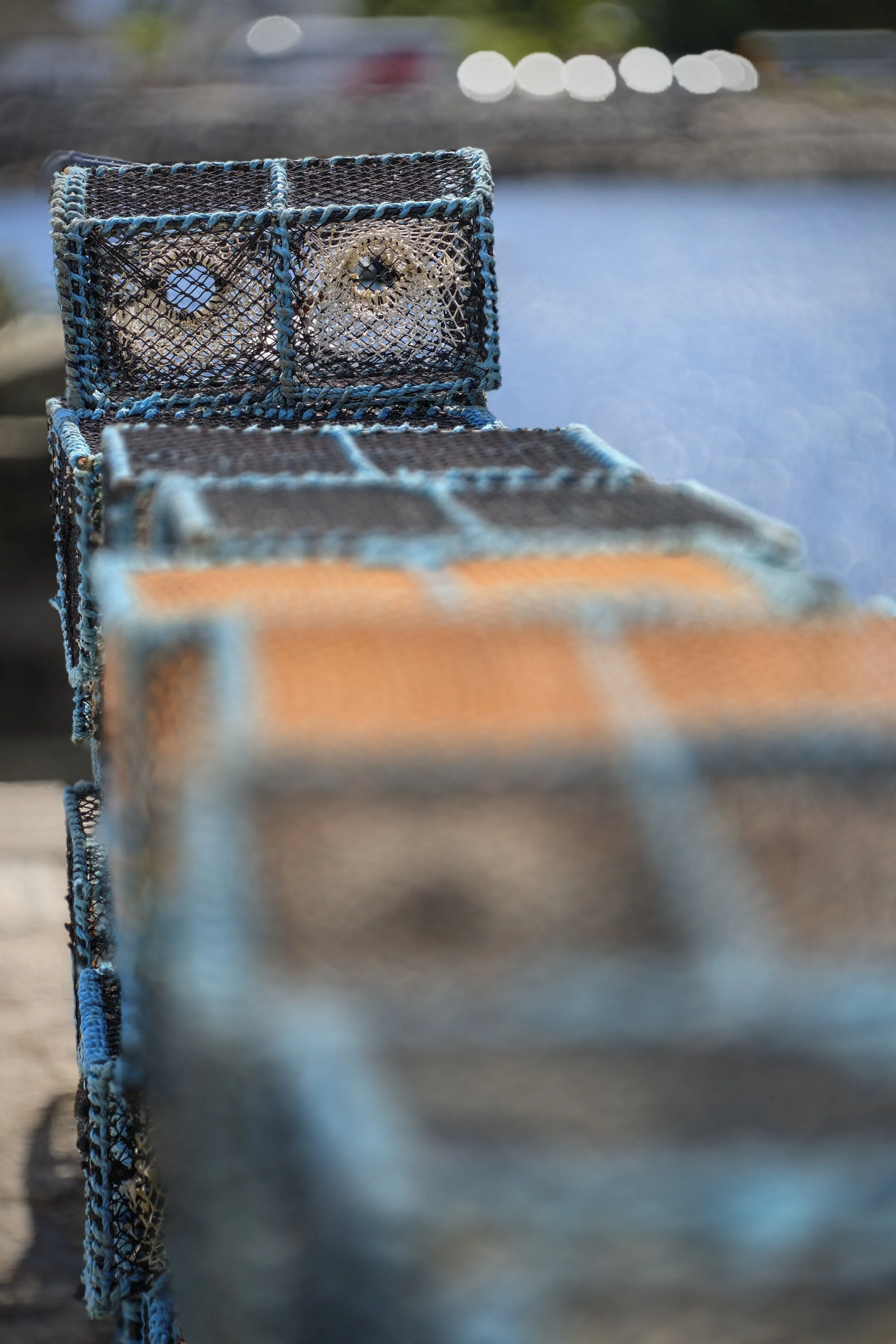
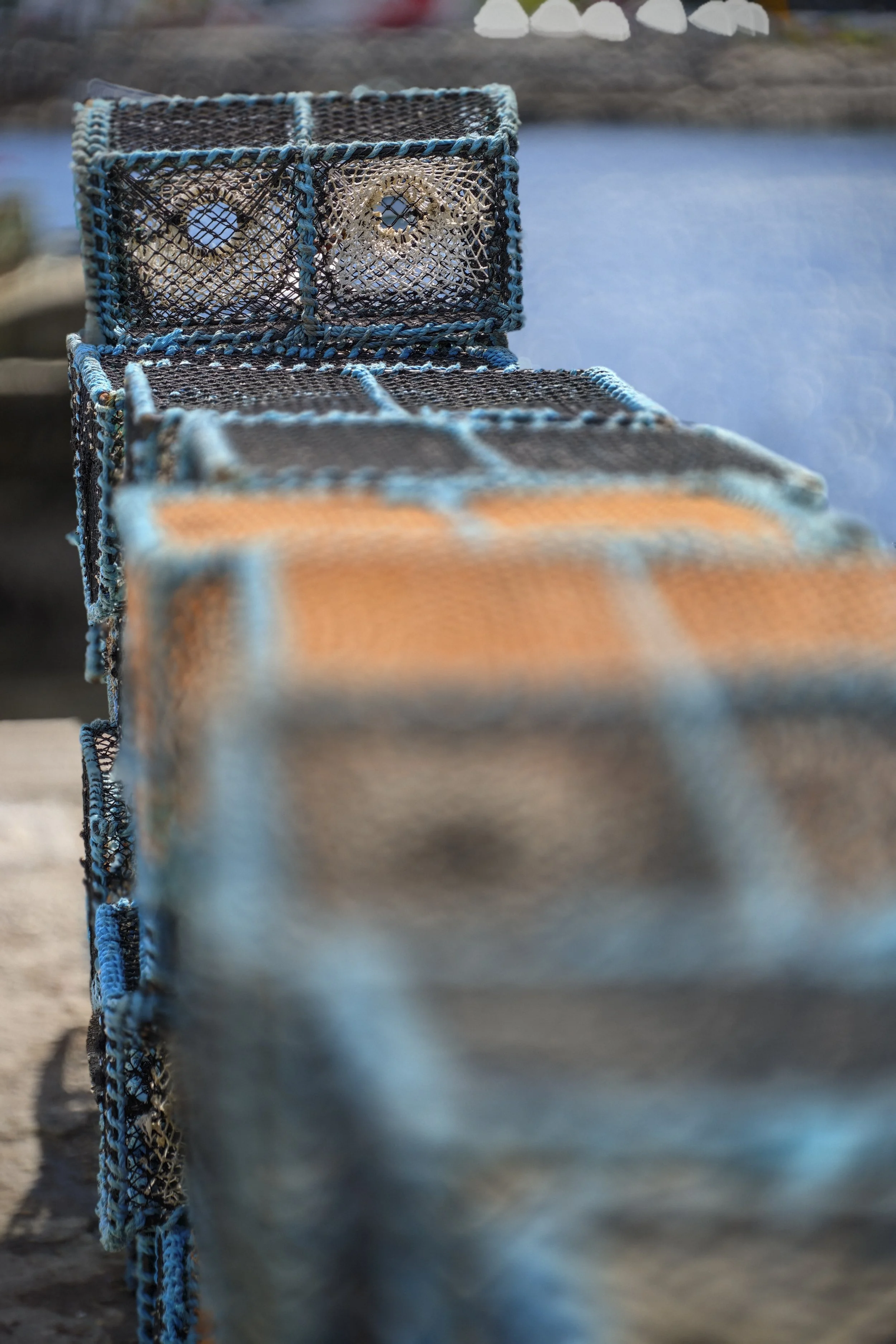
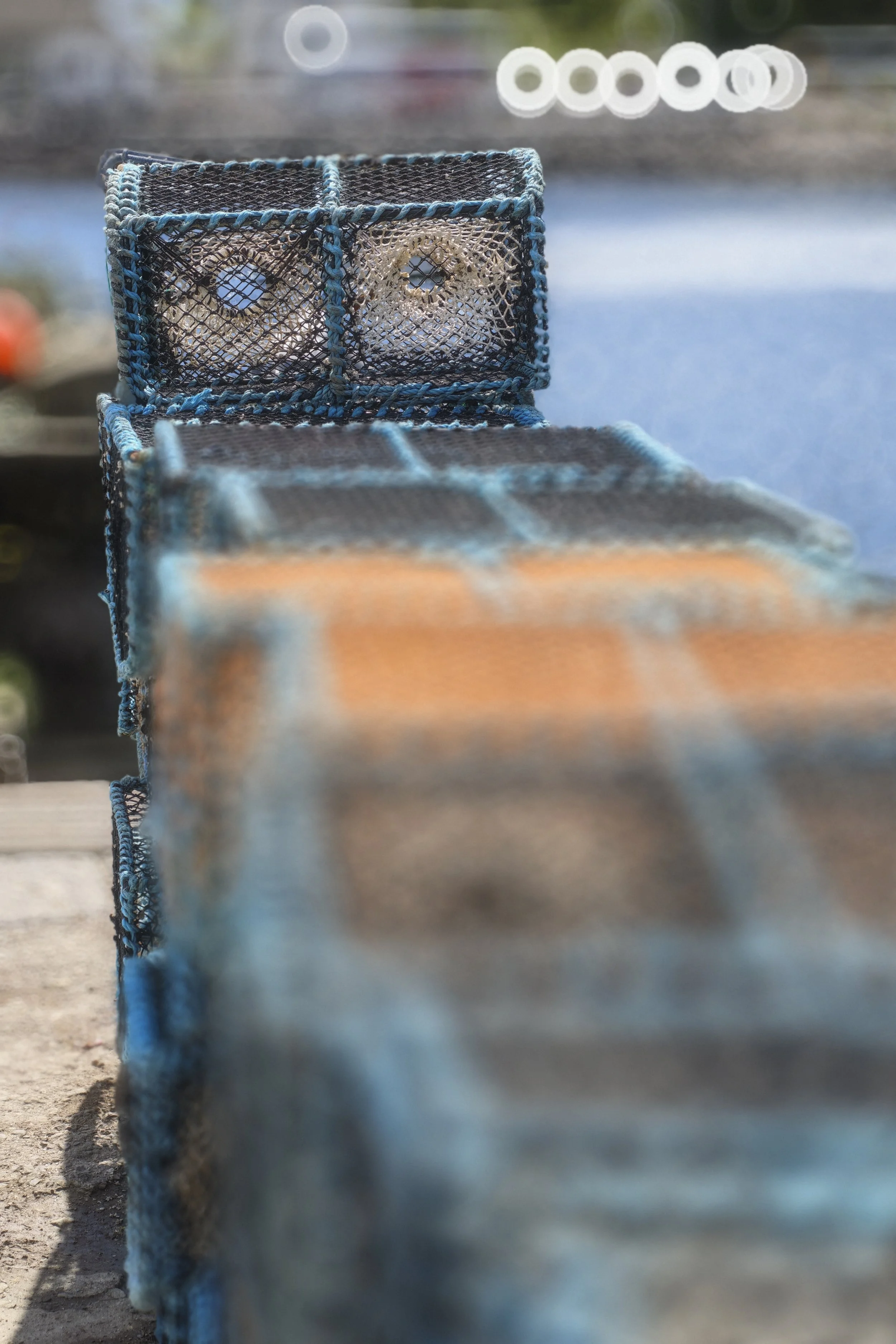
All extremely interesting. How does it do this? Magic is the only explanation.
Aside from the usability frustrations, I can see someone being very happy with these lens simulations.
I did test closing the virtual aperture down to f/16 in as I took a photo as well as afterwards, to see if I’d get an image sharp from front-to-back with “sun stars” at the highlights, but the results just looked like a normal un-adulterated shot. Same for the earlier images inside the chapel. So if you are looking for the ability to creatively use small apertures to make sun stars you’re out of luck.
Are they any better than just getting a Leica Lux app? Well you can’t get the Leica Lux app for Android phones. Why am I not surprised? Seeing as all Leica-branded phones are Android, I don’t see Leica cannibalising their profit share of their phone market by making their Leica Lux app available on Android (even at the same “Pro” price of £70/year). There would be no real reason to buy this phone if they did. I’d just drop the Leica Lux app on my Samsung S25 Ultra instead.
I don’t have an iPhone Pro to hand, but such a comparison would be a bit irrelevant as it would involve an entire ecosystem switch for any Apple user which, as we know, Apple make notoriously hard to do. They do love sucking people in and not letting them out. If you are considering a switch from Apple to the Leitzphone, maybe try the Leica Lux app first and compare the results to what you see and read here.
However, here’s the Samsung S25 Ultra in portrait mode with maximum blur, versus the Leitzphone in portrait mode set as a Summilux at f/1.4. You can see that the Leitzphone did a way better job here.

Leitzphone Summilux f/1.4
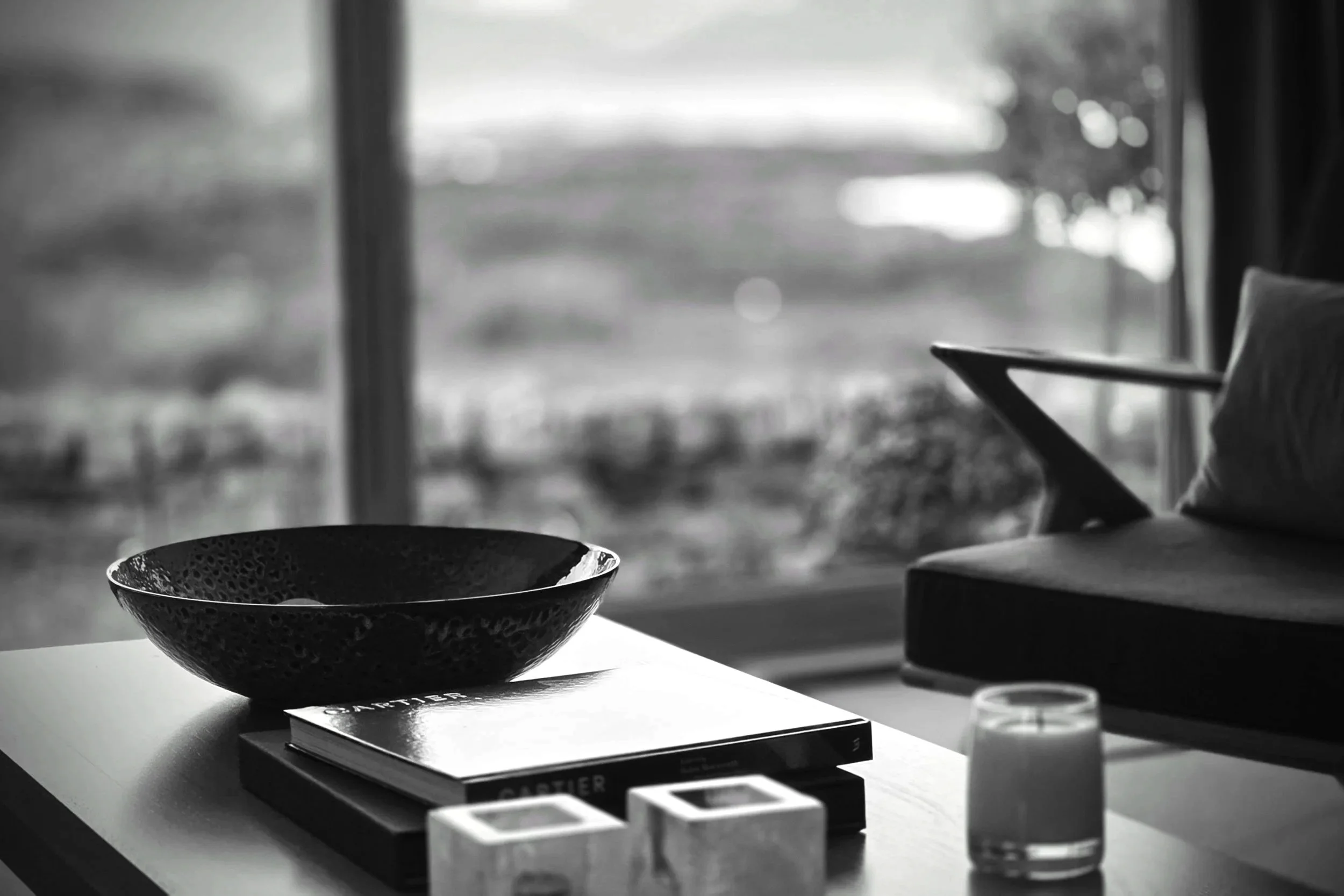
Samsung S25 Ultra in Portrait mode at maximum blur, converted to monochrome
Verdict on Image Quality
I’m really very impressed. RAW images with the main camera are great, though unsurprisingly not as sharp as the Q3. Ignoring the glaring user interface debacles, the lens simulations are incredibly interesting. They are really rather good aren’t they? Not perfect, but for general use and social media stuff, they are impressive. And this is the worst they will every be. This computational photography tech is only going to get better and better.
The obvious differences between virtual lenses was great to see. It makes the whole phone camera experience so much more enjoyable (aside from the mess of the camera app). While things like bokeh cutouts aren’t perfect yet, they are leagues above what was available just 12 months ago. The whole thing is quite astonishing. With such a solid set of camera and lens tech, software improvements are bound to make things a lot better.
I’d say bravo to Xiaomi for its computational photography tech and for packing so much capability into a phone. Personally I’d be very happy with a whole host of images I shot for this review. Yes I can see flaws, but wow, it is really impressive stuff these days. I don’t think it will be long before smartphone computational image quality is mostly indistinguishable from the “real thing”. It will never replace the physical feel of a gorgeous M with a luscious lens on, nor the experience of focusing and looking through an actual viewfinder. But….it’s coming.
Conclusions
Is my Q3 for sale? No. Definitively not. Neither is my current phone, the Samsung S25 Ultra. I had thought of trading it for the Leitzphone before getting a hands-on, but now I’m glad I didn’t.
My original question going into this review was: Has smartphone tech and “computational photography” risen to such a level that it can replace “proper camera” hardware, glass and sensors? Could I ditch my Leica Q3 and just use a phone? Not quite, but it’s not far off. We are getting a good look at what is coming down the line in the next 3 years.
The user interface and usability issues of the Leitzphone’s camera app make switching inconceivable for me. I despise lazy design and lacklustre implementation in any product. In one that costs £1,699 plus another £179 for the grip, in a flagship top-of-the-range luxury phone, it is unforgivable. I can almost see the UI designer weeping as the product manager said “look, just put the lens selector in that corner, but don’t call it a lens selector, and don’t bother with rotating those icons and text as we have to launch in a week”.
I see it as a huge opportunity that has been missed. I’m sure that a bunch of these will be sold, but I foresee them languishing in a bedside drawer or at 2nd hand store CEX in 12 months for a fraction of their original price.
This is a real shame as the hardware and technology in the phone is incredible. The Leica version feels great with its ridged metal surround. It looks amazing. The Pro grip and case are significant additions. The physical camera and lens setup is really brilliant. Computational photography is getting really good now. Better than my flagship Samsung for sure. The ability to replicate the character and characteristics of Leica lenses is quite extraordinary even given the issues I have mentioned.
However, when I just had my “daily” S25 Ultra with me, I found myself missing the Leica lens simulations. The S25U cameras feel a bit boring by comparison. Hmmmmm….maybe the Leitzphone is growing on me, warts and all.
Alternatives
It is always good to consider alternatives to a £1,878 bill (Leitzphone+Grip). You could get a new Leica DLux8 with £400+ cash to spare. A lovely Fujifilm X100VI could be yours with £278 spare for an air ticket somewhere nice. A used Ricoh GR3 and GR3x would be in your hands with a smidge of money left. An iPhone Pro Max 17 1TB is £1,599 which leaves a bit of cash for a Leica Lux app subscription. A used Leica TL2 is a mere £678 - add a lens of your choice. You can’t make a call or doomscroll Tiktok with any of these though.
The Leitzphone obviously won’t have the staying power of the Q3. Phone iterations and product life cycles are so short these days compared to Leica cameras that the Leitzphone will soon be obsoleted by the next version. But I think you already knew that.
Summing Up
Being positive, most of the issues are software related and could be fixed with a new version of the camera app. Go on Leica, make something like the “Leica Lux” app for the Leitzphone. Or improve the “Fastshot” mode to have camera and lens simulations. Give me a virtual “camera bag” of virtual Leica bodies and lenses.
Leica could make it Android-exclusive to the Leitzphone. It would be way better than the iPhone version due to the better camera setup from Xiaomi. Combined with the lovely materials and design of the Leitzphone version over the base Xiaomi 17 Ultra, I’d pay the big ticket price AND the £200 premium if it meant not having to pay £70/year for the Leica Lux subscription on an iPhone. In three years I’d be ahead on the deal, and with an epic phone as well. Or just make “Fastshot” mode better.
I am disappointed as you can tell. I love Leica. I really wanted this phone to be amazing. Sigh. Sorry Leica, I’ll send it back to you now. Please try harder.
Oh yes, here’s a Pros and Cons for you to finish.
Pros
Image quality excellent on main camera. DNGs very good indeed. Decent latitude for editing.
Pro grip makes a huge difference to hardware usability and feels good.
Variable bokeh is interesting with lots of potential, but needs better implementation.
Bokeh simulation images do have a certain something to them and look cool at a distance (or on the internet).
You get a 23mm f/0.95 Summicron and a 100mm f/0.95 Thambar! And everything inbetween! f/0.95 for everyone and everything!
Ridged metal frame very nice.
Camera setup is first rate.
Build quality really good except the lens ring.
Cons
Extremely poorly thought out software user interface. I expected much more. Looks rushed. Hard to use. Confusing. Could be so much better.
Maybe OK for marketing Leica to non-Leica users, but won't fool a Leicaphile.
Lack of variable aperture in Pro mode restrictive in some situations, removing an important area of photographer control.
Hardware (rattly and poor lens ring and no dedicated shutter button on the handset itself) is disappointing for something bearing the Leica red dot.
Somewhat overprocessed jpegs but OK for casual use.
JPEG images lack the subtlety of a "proper" camera, in terms of being oversharpened, odd focus falloff, over saturated, but obviously depends on which preset you select.
Pricey.
Last words.
“Hey Leica, how about putting the amazing Leica TL interface onto this thing?”
Recommendation to Leicaphiles: Wait for the either a software update with a sensible camera app, or wait for the next flagship version.